
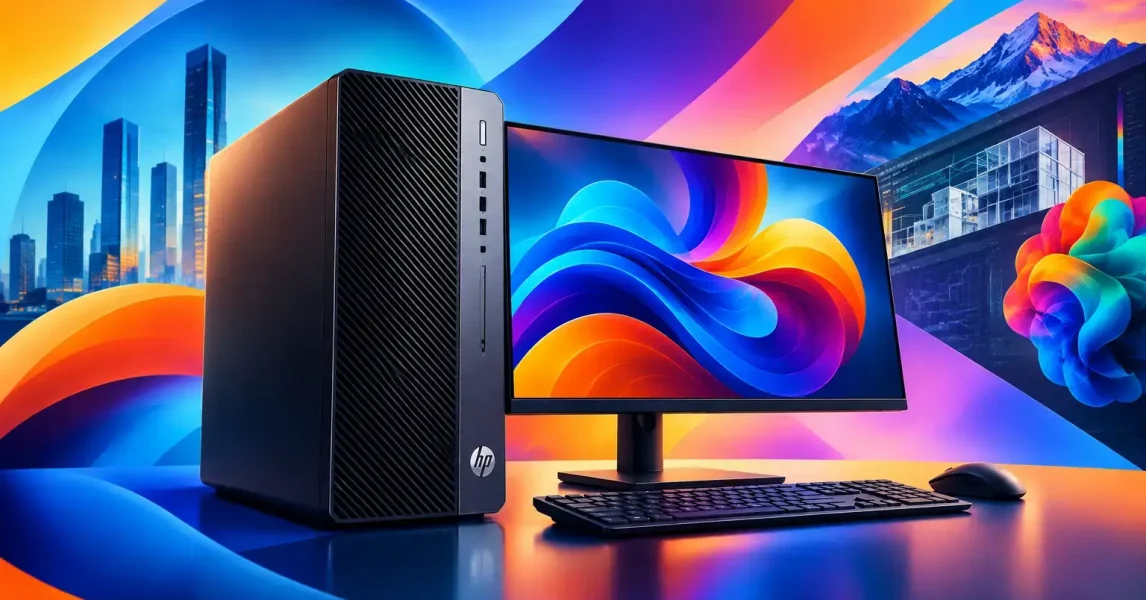
A slow computer is not merely an inconvenience when it is opening architectural drawings, compiling code, editing video or handling large financial models. It holds up client work, frustrates capable staff and can force teams into risky workarounds. This HP workstation review looks at where HP’s professional Z range earns its place in a business environment – and where a standard business laptop or desktop may be the better investment.
For organisations in Dublin, Wicklow and across Ireland, the decision should not begin with processor specifications alone. The right workstation needs to suit the workload, working location, security requirements, expected service life and the support available when something goes wrong.
What separates an HP workstation from a business PC?
HP workstations are designed for demanding, specialist workloads rather than general office tasks. The Z range includes desktop towers, compact systems and mobile workstations, with configurations built around professional-grade processors, dedicated graphics, larger memory capacities and fast storage.
The distinction matters most when staff use applications that put sustained pressure on a device. CAD and BIM software, 3D modelling, engineering simulation, GIS mapping, professional image and video editing, data analysis and software development can all benefit from workstation-class hardware. A machine that is adequate for email and Microsoft 365 may struggle badly once files become larger, rendering starts or several technical applications run at once.
There is also a practical difference in how these devices are specified. A workstation can be configured for the job rather than selected from a narrow set of fixed consumer specifications. That allows businesses to balance processor cores, RAM, graphics capability and storage against the software employees actually use.
HP workstation review: strengths for business users
HP has a long-standing presence in professional computing, and that shows in the breadth of its workstation portfolio. The range is broad enough to cover a designer needing a powerful mobile device, a technical team requiring expandable tower systems and organisations that need compact machines for space-constrained offices.
Performance that matches specialist applications
The biggest strength of an HP workstation is predictable performance under sustained load. Systems can be equipped with high-performance Intel or AMD processors, professional NVIDIA graphics and substantial RAM. That is relevant because specialist software often relies on a particular component more heavily than others.
For example, a 3D visualisation workload may depend heavily on graphics performance, while a large data model or virtualised development environment may need far more memory. An engineering application may favour high processor clock speeds, whereas rendering and simulation can benefit from more cores. Specifying a workstation properly avoids paying for power in the wrong area.
HP’s Z2 Tower models are often a sensible entry point for professional desktop users. They provide room for expansion without the footprint or cost of a high-end workstation. For heavier design, media or computational workloads, models such as the Z4, Z6 and Z8 families provide greater capacity for memory, storage and graphics. The exact current generation and configuration should always be checked against the application vendor’s requirements.
Mobile workstations for hybrid teams
Mobile workstations, including HP ZBook models, are useful where employees need workstation capability away from a fixed desk. Architects visiting sites, engineers supporting customers, consultants working between offices and creative professionals all benefit from being able to work on native files without relying on a remote desktop connection.
This flexibility does involve compromise. A high-specification mobile workstation is generally heavier, more expensive and less likely to deliver all-day battery life than a conventional business laptop. It can also run warmer and generate more fan noise under demanding tasks. For staff who mainly use Teams, Excel, browser-based systems and Microsoft 365, an HP EliteBook or ProBook may be the more practical choice.
Security and manageability fit business operations
A workstation is part of an organisation’s wider IT estate, not an isolated purchase. HP’s business-focused security features, firmware protections and device management capabilities can support a stronger endpoint security approach when they are configured and monitored correctly.
For an organisation with hybrid workers, this matters as much as raw speed. Devices should be enrolled in central management, protected with encryption, kept up to date and backed by reliable identity controls. A powerful workstation that is unmanaged, missing patches or holding unprotected local data creates unnecessary exposure.
Standardising on a business-grade device range also makes day-to-day support simpler. IT teams can keep common drivers, docks, chargers and replacement processes in place, rather than dealing with a collection of one-off machines bought over several years.
Built for a longer working life
Professional systems cost more upfront, but they can deliver better value where performance demands are real. Expandable desktops can often take additional RAM, storage or graphics later, extending their useful life. Business-class components and vendor support options can also reduce disruption compared with replacing a consumer machine that cannot be economically repaired or upgraded.
That said, lifecycle value depends on the original specification. Under-specifying a workstation simply delays the problem. Over-specifying every device is equally wasteful. A role-based approach is more effective: give power users the capability they need, while providing mainstream users with reliable standard devices.
Where the trade-offs need careful thought
No honest HP workstation review should suggest that a workstation is automatically the right answer. Price is the first consideration. Professional graphics, high-capacity memory and advanced processors can increase the cost substantially, particularly for mobile systems.
The second is application compatibility. Some technical software is certified for particular graphics drivers or hardware combinations. If software certification is important for warranty, compliance or project risk, check this before ordering. A technically impressive specification is not enough if it is not supported by the software provider.
Third, consider the whole setup. A workstation user may also require a colour-accurate monitor, suitable dock, fast wired or wireless network access, encrypted backup, adequate cloud storage and an appropriate support plan. There is little benefit in buying a powerful machine if it is slowed by poor connectivity or its work is not recoverable after a hardware failure.
Finally, desktop versus mobile is a genuine operational decision. A tower workstation usually offers stronger cooling, easier upgrades and better value per pound spent. A mobile workstation gives freedom to work in different locations. For many organisations, the right answer is a mix rather than a single device type.
How to choose the right HP workstation configuration
Start with the work, not the catalogue. Ask the people using the applications which files are slow to open, what processes cause delays and whether the bottleneck is processor, graphics, memory, storage or network access. Usage evidence is more useful than assumptions based on job title.
Then assess the software vendor’s recommended specification, rather than only its minimum requirement. Minimum specifications may allow an application to run, but they rarely provide a comfortable working experience for complex projects or several years of use.
A sensible workstation plan should also account for:
- the number and resolution of external displays;
- the size and location of project files;
- requirements for remote access and hybrid working;
- security, encryption and device management policies;
- warranty cover, replacement expectations and support response times; and
- planned growth in users, file sizes or software capability.
For a small business, this may mean a handful of ZBook mobile workstations for specialist staff and standard laptops for everyone else. For a larger multi-site firm, it may involve standardised Z desktop systems, centrally managed operating system builds, secure file storage and a clear replacement cycle.
Procurement is only one part of the deployment
Buying the right model is valuable, but a successful rollout depends on preparation. Devices need to be configured with the correct operating system settings, security controls, Microsoft 365 accounts, business applications, data access and backup arrangements before they reach users.
It is also worth planning data migration carefully. Moving files, browser profiles, application settings and licences at the last minute can turn a straightforward replacement into a disruptive day. Where specialist software is involved, testing the new configuration with a representative user before a full rollout reduces risk.
LANCAST can help businesses assess HP workstation requirements in plain English, source appropriate devices and put them into service as part of a managed IT environment. That includes the wider considerations that determine whether new hardware genuinely improves productivity: network readiness, endpoint security, cloud services, backup and ongoing support.
The most useful workstation is not necessarily the highest specification available. It is the one that lets the right employee complete demanding work reliably, protects business data and remains supportable as the organisation grows.