

Good office network cabling is a star-wired system: one unbroken cable from every outlet to a patch panel in a central equipment room, in a cable category that will outlast your current laptops, and tested and documented before anyone plugs in. For a new or refitted office today, that normally means Category 6A copper, fibre between rooms or floors, and a layout designed around how your team will work in five years, not on day one.
This guide explains what that means in practice for an Irish small or medium business: which cable to choose, which standards matter, how a layout is planned, what to ask for in a quote and where cabling projects go wrong. We install structured cabling for organisations across Ireland from our base in County Wicklow, so the advice below reflects what we see on real sites.
TL;DR
- Specify Category 6A copper for new installations. It is widely treated as the baseline for stable 10 Gbps over a full 100 m channel, and it is far cheaper to install now than to replace later.
- Design to the EN 50173 series and install to EN 50174, and ask your installer to confirm in writing which standards they work to.
- Use a point-to-point star layout: one continuous cable from each outlet to a patch panel, with no splices, bridged taps or under-carpet runs.
- Plan outlets for printers, access points, CCTV and door entry as well as desks, then label and document everything.
- Quotes depend on outlet count, building construction, cable category, containment, fibre and testing, so ask for a site survey rather than a price per point over the phone.
Table of Contents
- Why cabling still matters in a Wi-Fi world
- Choosing the cable: Cat5e, Cat6, Cat6A and fibre
- The standards that apply
- How a good layout is built
- Labelling and documentation
- What shapes the cost
- Planning around an office move or growth
- A common mistakes checklist
- Our perspective
- Cabling as part of a managed network
- FAQ
- Sources
Why cabling still matters in a Wi-Fi world
Most staff connect to Wi-Fi, so it is tempting to treat cabling as a minor line in the fit-out budget. That is a mistake. Every wireless access point, desk phone, camera, printer and server is ultimately plugged into a cable, and the quality of that cabling sets the ceiling for everything above it. NHS England Digital describes structured cabling as the foundational infrastructure behind reliable wired and wireless networks, and the same logic applies to a ten-person office in Bray or a hundred-person one in Dublin.
Cabling is also the part of the network you can least afford to redo. Switches, firewalls and access points are replaced every few years. Cable sits in ceilings, risers and walls for a decade or more, and reopening them means disruption, ceiling tiles, ladders and often a weekend of lost working time. Spend the thought up front.
Choosing the cable: Cat5e, Cat6, Cat6A and fibre
Copper twisted pair is still the standard way to reach desks and devices. The category tells you how much bandwidth the cable is built to carry, and therefore how long it stays useful.
| Type | Typical use today | Our view for a new office |
|---|---|---|
| Cat5e | Gigabit to desks, older buildings | Acceptable only for matching existing systems or very tight budgets |
| Cat6 | Gigabit, shorter 10 Gbps runs | Reasonable where runs are short and growth needs are modest |
| Cat6A | 10 Gbps over the full channel, PoE devices | The sensible default for new installations |
| Fibre (multimode or single-mode) | Links between floors, buildings and comms rooms | Use for backbones and any run that leaves the building |
The guidance used across the public sector in the UK points firmly at Cat6A. A national network design standard for schools treats Cat6A as the baseline for new copper installations so that stable 10 Gbps performance is possible across the full 100 m channel, and discourages installing older categories in new builds because they struggle to meet crosstalk requirements at full length. GOV.UK guidance on network cabling makes the same point, noting that Cat6A offers greater data capacity than earlier copper standards. These are education and health specifications, not Irish law for private offices, but they are written by large organisations that have thought carefully about lifetime cost, and they are a useful benchmark.
If you are weighing the lower categories for budget reasons, we have written a separate comparison, Cat5e vs Cat6, with test results on 100 m Gigabit and short-run 10 Gbps. The short version: the cable is a small part of the total installation cost, while labour is the larger part, so choosing the cheapest category rarely saves what it appears to.
Fire performance of the cable jacket
The outer jacket matters as much as the copper inside. Specifications from large institutions commonly require Low Smoke Zero Halogen (LSZH) jackets so that a fire in a ceiling void releases less toxic smoke. The University of St Andrews cabling specification is one example of how seriously this is treated on large projects. For an office, ask your installer which fire rating of cable they propose and why, particularly for runs in shared ceiling voids and risers. If you also want a plain-language primer on cable category, bandwidth and fire safety written for a domestic reader, this practical guide to ethernet wiring covers the basics well, although a commercial building will have stricter requirements.
When fibre earns its place
Fibre does not replace copper to the desk in most small offices. It earns its place in three situations: linking a main equipment room to a second comms room or floor, connecting separate buildings on a campus or yard, and carrying high-speed uplinks between switches. It is immune to electrical interference and is not limited to 100 m. If your office has a warehouse, workshop or outbuilding, a fibre link is usually the right answer, and it is far easier to pull alongside copper during the first installation than to add later.
The standards that apply
Ireland has no single cabling law for private offices, but the industry works to European and international standards, and a competent installer should be able to name the ones they follow. The NHS England Digital cabling guidance summarises the relevant family clearly:
BS EN 50173 covers the design of generic cabling, with its second part focused on office spaces, while BS EN 50174 covers installation, planning and quality assurance. BS 6701 covers the wider telecommunications installation. The British versions mirror the European ones, which is why Irish projects, particularly those serving public bodies and healthcare, tend to reference them. The performance requirements for 4-pair balanced cabling sit in ISO/IEC 11801, which is the international standard behind the category ratings.
What this means for you as a buyer:
- Ask which design and installation standards the installer works to, and expect a straight answer.
- Ask for test results for every link on completion. A tested link tells you the cable performs to the category you paid for, not merely that a light came on.
- Ask whether cable and components come from a single manufacturer system, as some institutional specifications require, such as the one published by Loughborough University IT Services. Mixed components can undermine warranties and performance.
Electrical safety for any associated power work is a separate matter and should be carried out by a registered electrician, not assumed to be covered by your data installer.
How a good layout is built
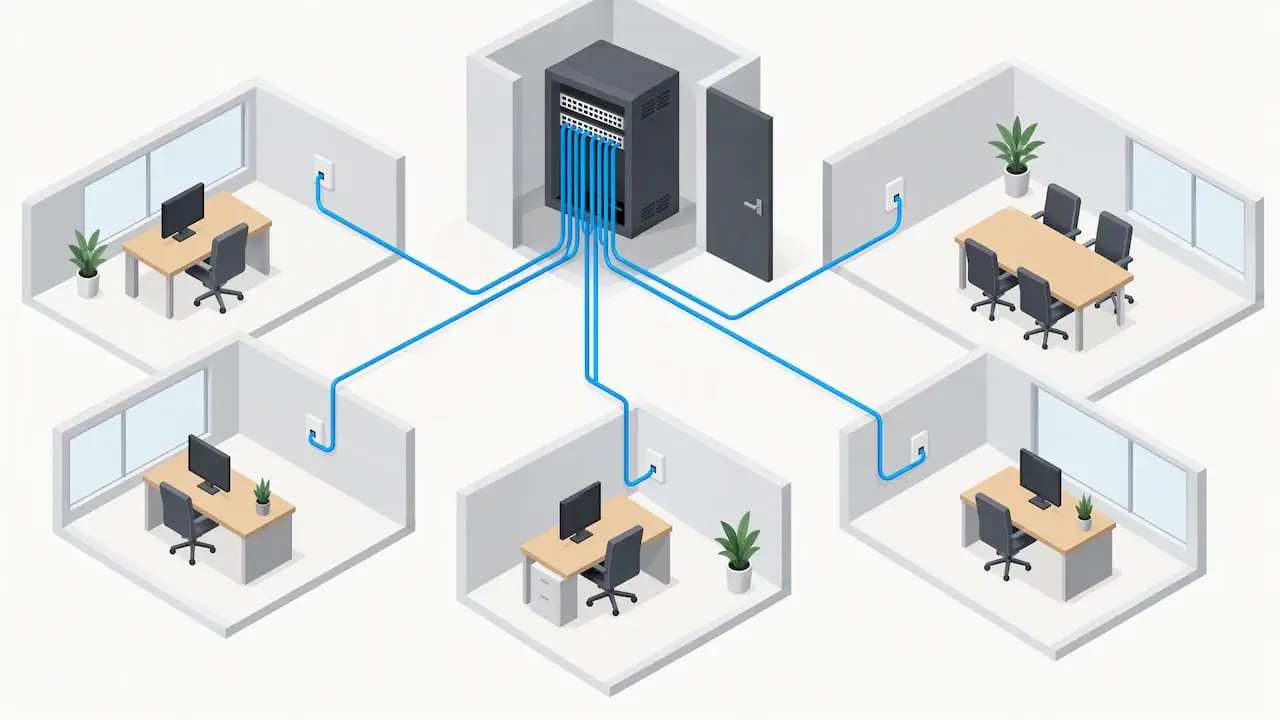
Professional installations use a star topology. According to the St Andrews specification, each outlet is connected directly to a patch panel in the equipment room by a single, uninterrupted cable. No splices, no bridged taps and no cabling under carpet. Every joint or shortcut adds signal loss and impedance mismatch, and any of them can stop a link from passing certification.
Equipment room and racks
The comms room is where the system comes together: a rack holding patch panels, switches, the firewall and often the internet router, with space for growth. Think about cooling, because switches and a small server generate more heat than people expect, and about power, ideally with an uninterruptible power supply. Allow room to work: a rack jammed into a cupboard behind a door that cannot open fully makes every later change slower and riskier.
Switches and what they need from the cabling
Switches fall broadly into core and access roles. The schools standard mentioned earlier suggests that core switches should offer Layer 3 switching, VLAN support, a non-blocking fabric and dual power supplies, with access switches supporting PoE standards to power wireless access points. A small office rarely needs a dedicated core, but the principle carries over: choose access switches with enough PoE budget for your access points, cameras and phones, and make sure the cabling to those devices can carry the load. Cat6A cable copes better with the heat of sustained PoE than thinner, lower-category cable.
Outlets: count more than desks
The most common mistake we see is counting desks and stopping there. A realistic outlet plan includes:
- two data points per desk position, or one plus a spare, so reconfiguring a team does not mean new cable;
- ceiling-mounted points for wireless access points, positioned from a coverage plan rather than guessed (our guide to improving Wi-Fi coverage across your office explains how);
- points for printers and multifunction devices, meeting-room screens, and video conferencing;
- points for CCTV, door entry and alarm panels;
- spare points in meeting rooms, reception and any area that might become desks.
If you are adding a wireless layer, business wireless network installation works best when the access points are planned together with the cabling, not added afterwards.
Labelling and documentation
This is the dull part that saves the most money. Experts recommend a documented, visible patching scheme, for example distinct patch lead colours for printers, CCTV, wireless access points and servers, which the NEN network design standard cites as a way to speed up fault diagnosis and reduce human error during routine changes. Without it, a simple move turns into an hour of tracing cables.
At handover you should receive a labelled patch panel and outlet for every link, a floor plan showing outlet positions and their labels, and the test results for each link. Keep these with your IT records. When your IT support changes, or when you move, this pack is what lets the next engineer work quickly.
What shapes the cost
People search for a per-point price, and we understand why, but a figure quoted without seeing the building is unreliable. We do not publish a fixed price list, and what follows is what drives a quote up or down.
| Factor | Why it matters |
|---|---|
| Number of outlets | More points spread the fixed costs of setup, racks and testing |
| Cable category | Cat6A costs more per metre and takes longer to terminate than Cat5e or Cat6 |
| Building type | Plasterboard partitions, concrete floors, listed or older buildings and open ceilings all change labour time |
| Cable routes and containment | Trunking, tray and conduit add materials and time, especially where cable must be hidden |
| Fibre | Backbone runs add cable, connectors and specialist termination |
| Comms room fit-out | Racks, patch panels, power and cooling |
| Working hours | Out-of-hours work in an occupied office can add to the cost but protects your team’s day |
| Testing and documentation | Certification of each link and drawings take time and should never be dropped to save money |
When you compare quotes, compare scope before price. A low quote that leaves out containment, testing, labelling or fibre is not a low quote. It is a different job.
Planning around an office move or growth
Timing matters. For a fit-out, cabling goes in after the partitions are set but before ceilings close and carpets are laid, so involve your installer early in the project, not at the end. If you are relocating, our page on structured cabling for office moves explains how to sequence cabling, equipment moves and connectivity so staff arrive to a working network. If you are growing in place, structured cabling that supports business growth covers how to leave capacity without overspending.
For offices that need the wider picture, network design and installation services bring the switches, wireless and security layers together with the cabling.
A common mistakes checklist
Before you sign off any project, check for these frequent problems: mixing cable categories on the same channel, which limits performance to the weakest part; cable bent sharply or pulled too tight around corners; data cable laid alongside power cable without separation; too few outlets, leading to extension switches under desks; unlabelled patch panels; no test certificates; and no spare capacity in the rack or containment.
Our perspective
In our experience across thirty years of working with Irish organisations, cabling is the part of an IT project most often decided on price alone and regretted soonest. The typical story is an office that installed the cheapest category to hit a fit-out budget, then discovered two years later that new access points, cameras and a move to cloud-based phones and video had filled the network. By then the ceilings were closed and the cost of doing it again was far higher than the saving.
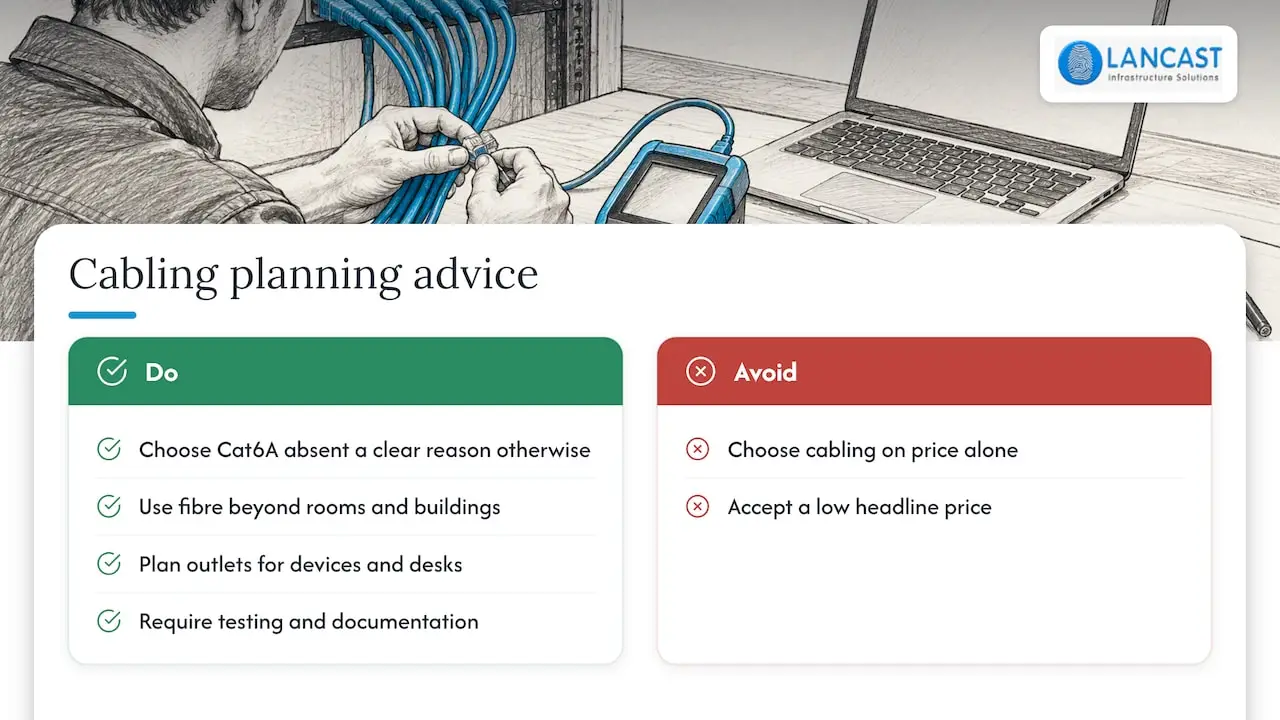
Our advice is to treat cabling as infrastructure with a ten-year life. Choose Cat6A unless there is a clear reason not to, put fibre in wherever a run leaves the room or the building, plan outlets for devices as well as desks, and insist on testing and documentation. We would rather give you an honest survey and a scope you understand than a low headline number that grows later. Because we also manage networks, security and support for our clients, we design cabling with the day-to-day running of the network in mind, so the person who maintains it is the person who helped specify it.
— Carl
Cabling as part of a managed network
Cabling is one layer of a working office. We design and install structured cabling and infrastructure for small and medium businesses, and we can then support the network through our managed services, with proactive monitoring and onsite or remote support. If you are planning an install, a move or an upgrade, talk to us at LANCAST and we will survey the premises and scope the work with you.
FAQ
Is Cat6A necessary for a small office?
Not always, but it is the safest choice for a new installation. It supports 10 Gbps over the full 100 m channel, copes well with PoE devices and gives you the longest useful life. If your runs are short and your needs are modest, Cat6 may do, but the labour cost is similar, so the saving is usually small.
Can I run network cable myself?
You can pull cable, but termination, testing and certification need proper tools and training, and poorly terminated links cause intermittent faults that are hard to trace. For an office with staff relying on the network, a specialist installer who tests each link and hands over documentation is the better route.
How long does an office cabling installation take?
It depends on outlet count, building construction and whether the office is occupied. A small office can often be done in a few days, while a larger fit-out runs alongside other trades. A survey gives a realistic schedule, and out-of-hours working can keep disruption to a minimum.
Do I need fibre in my office?
Only if you are linking separate rooms, floors or buildings, or need high-speed switch uplinks. For connecting desks and devices, copper is normally sufficient. If there is any chance you will need a fibre link later, running it during the first installation is cheaper than returning.
What should a cabling quote include?
It should state the cable category and jacket type, the number and location of outlets, containment, the comms room rack and patch panels, any fibre, testing of every link, labelling and the documentation you will receive. The standards the installer works to should also be named.
Sources
- NHS England Digital: network cabling standards
- GOV.UK: meeting digital and technology standards, network cabling
- NEN technical standards for a secondary school, network design
- University of St Andrews: data and telecoms cabling specification
- Loughborough University IT Services: structured data and fibre optic cabling specification