
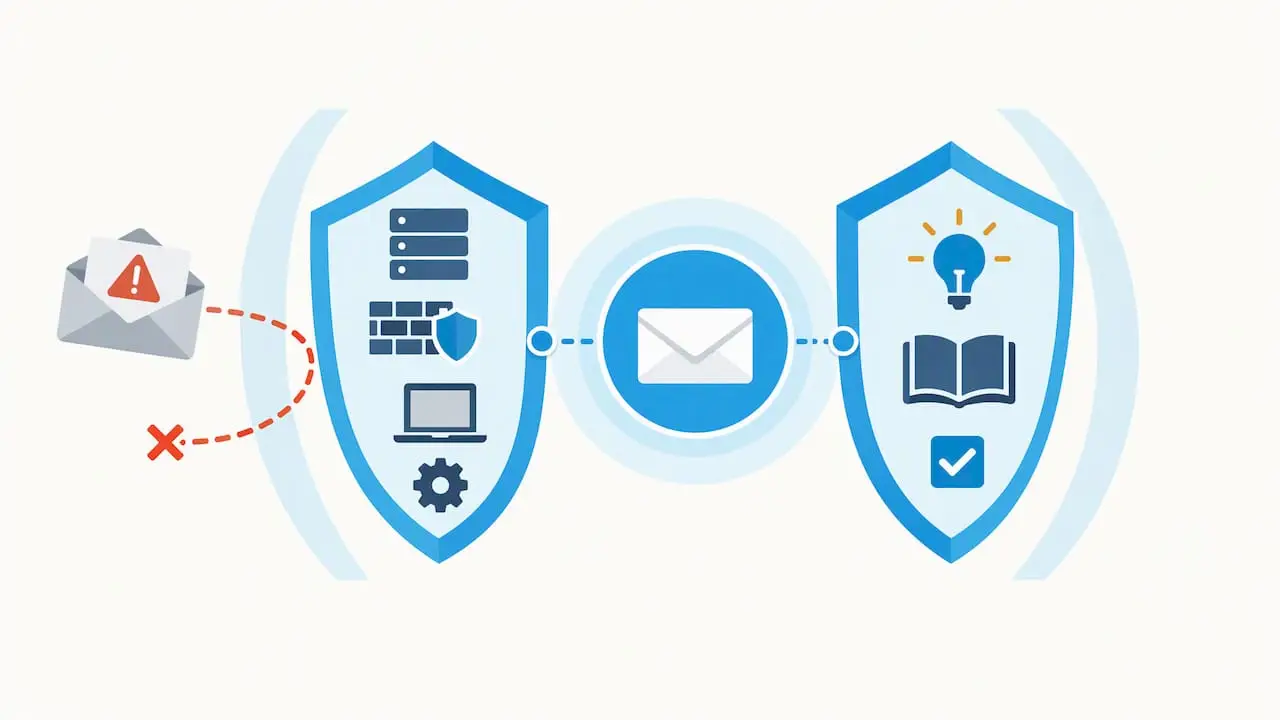
The most effective defence against email phishing is a layered approach: stop malicious mail reaching users, harden accounts, train people, and have a tested response ready. That means blocking at the gateway with SPF, DKIM, DMARC and TLS, enforcing MFA or passkeys and password managers, running regular phishing simulations, and maintaining a clear reporting and incident response workflow for when something slips through.
TL;DR:
- Implementing DMARC, SPF, and DKIM correctly is essential before enforcing strict policies to prevent legitimate emails from being blocked.
- Enforcing TLS and using threat intelligence feeds at the mail gateway significantly reduces the chance of phishing emails reaching users’ inboxes.
- Multi-factor authentication, passkeys, and password managers help limit the damage if a phishing attack succeeds on user accounts.
- Regular phishing simulations and a non-punitive reporting culture increase detection rates and improve overall organizational resilience.
- Continuous monitoring and managed services ensure email authentication configurations stay effective as sending services and infrastructures change.
Table of Contents
- How to spot phishing emails: red flags and concrete examples
- Prevent phishing before it reaches inboxes: server and delivery controls
- Protect accounts and users: authentication, device hygiene and training
- Operational measures: reporting, triage and incident response for phishing
- Implementing DMARC safely: a practical stepwise rollout
- Maintain and measure: metrics and recurring tests
- Publisher perspective: why a managed-services partner helps sustain phishing resilience
- How Lancast can help with phishing prevention and response
- FAQ
- Sources
How to spot phishing emails: red flags and concrete examples
Most phishing emails still rely on a handful of tells, even as attackers get more convincing. Display name spoofing, mismatched sender domains, urgent financial requests, and links that resolve to a different domain from the one shown remain the most reliable indicators. Business email compromise (BEC) attacks tend to skip malicious links entirely, instead impersonating a supplier or executive to request a bank transfer or change to payment details, which makes them harder to catch with technical filters alone. A newer pattern, often called “click-to-fix”, disguises a phishing link as a software update or document repair prompt, exploiting the habit of clicking through routine system messages.
Before anyone clicks, a few checks go a long way:
- Hover over links to see the true destination before clicking, and check for subtle misspellings in the domain.
- Open suspicious attachments only in an isolated sandbox environment, never on a production device.
- Check the “reply-to” address against the “from” address: a mismatch is a strong signal of spoofing.
- Look for inconsistent branding, poor grammar, or a tone of urgency that does not match how the sender normally communicates.
Most users can check the visible sender name and domain, but full header analysis (tracing the originating IP or authentication results) usually needs IT or security staff, which is why a clear reporting path matters as much as user awareness.
Prevent phishing before it reaches inboxes: server and delivery controls
Stopping phishing at the gateway does more to reduce overall risk than any amount of user training, because it removes the decision from the user entirely. NCSC guidance on phishing frames this as the first of four defensive layers: make it hard for attackers to reach users in the first place, then help people spot what gets through, reduce the damage from anything successful, and respond quickly.
A practical build order looks like this:
- Deploy spam and phishing filters at the mail gateway, and tune them using threat intelligence feeds and URL reputation services rather than default settings alone.
- Enforce TLS for mail transport between servers, and configure stricter cipher suites where your mail platform supports them.
- Implement SPF and DKIM correctly for every domain and subdomain that sends mail on your behalf, including third-party marketing or billing platforms.
- Roll out DMARC in stages, starting at
p=none, before progressing top=quarantineand eventuallyp=rejectonce you are confident legitimate mail will not be blocked. - Turn on your email provider’s built-in anti-phishing features, including link rewriting and safe-browsing style URL scanning, which add a layer of protection even after a message lands in an inbox.
Pro Tip: Treat SPF and DKIM as prerequisites, not optional extras: DMARC enforcement without them in place will either do nothing or break legitimate mail.
Getting the DNS side right is often the slowest part of this process, particularly for organisations running several sending services (CRM, invoicing, newsletter tools) alongside their primary mailbox provider. NCSC’s guidance on marking spoof emails as spam sets out the same staged logic: correct SPF and DKIM failures first, then move DMARC enforcement forward only once you have identified every legitimate sender. Where DNS and mailbox configuration sits outside day-to-day IT capacity, a managed hosting and Office 365 service can keep these records current as sending infrastructure changes.
Protect accounts and users: authentication, device hygiene and training
Even a well-tuned gateway lets some phishing through, so the next layer is making a successful click less costly. Multi-factor authentication is the baseline here, but NCSC’s small organisations guidance recommends prioritising passkeys over passwords and one-time codes where your email provider supports them, since passkeys cannot be intercepted or replayed the way a password or SMS code can.
A few further habits reduce the blast radius of a successful phish:
- Use a password manager to enforce unique, high-entropy credentials for every account, so one leaked password cannot unlock several systems.
- Prefer authenticator apps or hardware security keys over SMS-based codes, which remain vulnerable to SIM-swap attacks.
- Separate privileged accounts (domain admin, finance system access) from everyday email and browsing accounts, and apply least-privilege access by default.
- Run phishing simulations on a regular cadence, paired with short follow-up training for anyone who clicks, rather than punitive measures.
Pro Tip: Non-punitive reporting policies consistently produce higher reporting rates than disciplinary ones: a user who fears blame for clicking a link is a user who stays quiet about it.
Systematic reviews of phishing countermeasures, including a 2021 literature review summarising prevention and mitigation research, point to the same conclusion: combined technical and user-focused measures consistently outperform either approach alone.
Operational measures: reporting, triage and incident response for phishing
Once a suspicious email is reported, what happens in the next hour matters more than the policy document sitting in a drawer. A workable operational flow looks like this:
- Give users a one-click reporting option, such as the Outlook “Report Phishing” add-in, or a shared mailbox address they can forward suspicious mail to without second-guessing themselves.
- Configure that reporting tool to forward flagged messages automatically to national services such as the NCSC Suspicious Email Reporting Service, alongside your internal security team.
- On receipt of a credible report, isolate the affected account and device, force a password and token reset, and revoke active sessions immediately rather than waiting for confirmation of compromise.
- Preserve the original message, headers and any linked infrastructure as evidence before remediation work overwrites the trail.
- Escalate where needed: to legal and communications teams for anything involving customer data, to banks where a payment has been affected, and to a forensic specialist when the scope of compromise is unclear.
Backup and recovery planning belongs in this workflow too. If an account compromise leads to data loss or encryption, having tested backup and disaster recovery in place determines how quickly operations resume.
Implementing DMARC safely: a practical stepwise rollout
DMARC is one of the few controls that can backfire if rushed, so the rollout deserves its own checklist, separate from the broader filtering work above.
- Publish a DMARC record with
p=nonefirst, purely to collect aggregate and forensic reports and build a full picture of who sends mail on your domain’s behalf. - Fix every SPF and DKIM failure the reports reveal before changing policy, using an anti-spoofing management tool to track progress across sending sources.
- Move to
p=quarantineat a low percentage, monitor reports for two to four weeks as NCSC recommends, then raise the percentage gradually once legitimate mail is unaffected. - Progress to
p=rejectonly once you are confident no legitimate sender will be blocked, and keep monitoring afterwards, since new cloud services can silently break authentication even after enforcement is in place.
Phishing remains deeply entrenched in attacker tactics: ENISA’s 2026 threat landscape report found phishing present in 77.8% of social-engineering related incidents, a figure that reflects how commoditised phishing kits and Phishing-as-a-Service offerings have become. Keep marketing teams and external vendors informed before each stage, and have a rollback plan ready in case a legitimate sending service gets caught by the new policy.
Maintain and measure: metrics and recurring tests
Phishing defences decay without ongoing measurement. Track these as recurring KPIs rather than one-off audit items:
- DMARC pass rate across all sending domains and subdomains.
- Phishing simulation click rate and time-to-report after each exercise.
- Volume of user-reported suspicious mail, which indicates engagement as much as risk.
- Gateway block rate for known phishing indicators.
| Metric | What it tells you |
|---|---|
| DMARC pass rate | Whether authenticated mail is being correctly recognised across all senders |
| Simulation click rate | How user susceptibility changes between training cycles |
| Reported suspicious mail volume | Whether reporting culture is active and trusted |
| Gateway block rate | How much phishing is being stopped before reaching inboxes |
Feed email telemetry into your SIEM alongside endpoint logs, since credential abuse after a successful phish often shows up first in login anomalies rather than in the inbox itself. Review sending services and DNS records on a set schedule, not only when something breaks.
Publisher perspective: why a managed-services partner helps sustain phishing resilience
Phishing controls are not a one-off project: DMARC policies drift, new sending services appear, and simulation programmes lose value without consistent follow-up. Continuous monitoring shortens the time between a compromise and its containment, which is often the single biggest factor in how much damage an incident causes. Managed support for SPF, DKIM and DMARC configuration, alongside structured simulation and incident response programmes, keeps these controls working as an organisation’s email footprint changes rather than as a static setup exercise.
— Carl
How Lancast can help with phishing prevention and response
Keeping DMARC, SPF and DKIM correctly configured across every sending service takes ongoing attention that most internal IT teams struggle to fit around daily support tickets. Our Silver, Gold and Platinum Support tiers build that attention in as standard, with proactive monitoring that catches configuration drift before it becomes a gap attackers can use.

Alongside managed support, our security services cover vulnerability management, threat risk assessment and penetration testing, which pair well with phishing simulation and incident response planning for organisations that want both the technical controls and the operational playbook in place. If your current DMARC policy is still sitting at p=none, or you are not sure when it last changed, that is a reasonable place to start a conversation. Get in touch through our managed services page to talk through where your current setup stands.
FAQ
What should you never open in spam emails?
Never open attachments or click links in spam or unexpected emails, particularly ones requesting payment, login credentials or urgent action. Forward the message to your reporting tool or shared mailbox instead, and delete it once it has been logged.
Can I get phished by opening an email?
Simply opening a plain email is unlikely to compromise your device, but opening an attachment or clicking an embedded link can trigger malware or lead to a convincing fake login page. Treat any unexpected request for credentials or payment as suspicious regardless of how the email was opened.
How to protect yourself from a phishing email?
Protecting yourself combines technical and behavioural steps: enable MFA or passkeys on your accounts, use a password manager, and check sender domains and links carefully before clicking. Reporting suspicious mail through your organisation’s tool, such as the Outlook Report Phishing add-in, also helps your wider team respond faster.
What is the biggest red flag for a phishing email?
A mismatch between the displayed sender name and the actual sending domain, combined with urgent pressure to act, is the most consistent red flag across phishing campaigns. Business email compromise attempts often skip links entirely and rely purely on that urgency and a spoofed identity to request a payment or credential change.