

Choose NAS when your priority is shared file access, collaboration and general-purpose storage; choose SAN when your workload demands low latency, high IOPS and predictable throughput, such as databases, virtual machines or AI training. Modern appliances increasingly blur this line, and the protocol you choose, whether iSCSI, NVMe over Fabrics, SMB or NFS, often matters as much as the hardware itself. The sections below walk through the architecture, use cases and a practical checklist to help you decide.
TL;DR:
- Fibre Channel offers the most predictable low latency but costs more to deploy; iSCSI uses standard Ethernet and is cheaper to set up.
- Heavy concurrent access can cause metadata contention on traditional NAS; try clustered or scale out NAS before replacing it with SAN.
- NVMe over Fabrics and NVMe/TCP narrow SAN’s latency gap over fast Ethernet, but sustained sequential AI training throughput still favors a SAN fabric.
- Before buying, map file or block needs, concurrency, peak and sustained loads, growth, and feature requirements; pilot the system on your real workload.
- Ask vendors about support response commitments, expansion paths, licensing, and required staff training for your specific model before choosing a system.
Table of Contents
- What is a SAN and how does it work?
- What is a NAS and how does it work?
- Key differences: architecture, protocols, performance and cost
- Common NAS use cases
- Common SAN use cases
- Convergence: modern appliances and when the lines blur
- How to choose: a checklist and procurement questions
- Author perspective and practical recommendation
- FAQ
- Sources
What is a SAN and how does it work?
A storage area network presents storage as raw blocks rather than files, which means the connected host, not the storage system, manages the file system. This block-level presentation is what gives SAN its performance edge for demanding applications, according to a neutral technical overview of SAN architecture.
A typical SAN combines several components working together:
- Storage arrays that hold the physical disks or flash media and expose block volumes.
- Host bus adapters installed in servers to connect them to the storage fabric.
- Switches or fabrics, commonly Fibre Channel or Ethernet-based, that route traffic between hosts and arrays.
SANs commonly run on Fibre Channel, iSCSI or NVMe over Fabrics, each offering a different balance of cost, latency and complexity, as detailed in Computer Weekly’s analysis of SAN for AI and virtualised workloads. Fibre Channel delivers the most predictable low-latency transport but costs more to deploy; iSCSI rides on standard Ethernet and is far cheaper to set up.
What is a NAS and how does it work?
A network-attached storage system presents data as files over a network, handling its own file system internally so client devices simply read and write files without managing block-level detail. This simplicity is a large part of why NAS remains the default choice for shared storage in most organisations.
NAS devices typically serve clients using one of two protocols:
- NFS, the standard choice for Linux and Unix environments.
- SMB, the protocol Windows environments rely on for file sharing.
Both protocols are explained alongside their trade-offs in TechTarget’s comparison of storage network protocols. Because the NAS itself owns the file system and metadata, it can serve many concurrent users without each client needing to coordinate directly, which is exactly what makes it well suited to shared drives and collaborative work. Modern scale-out NAS platforms extend this further with snapshots, quotas and tiering to cloud storage, letting a single system handle both performance and capacity growth without a full redesign.
Key differences: architecture, protocols, performance and cost
The clearest way to separate NAS from SAN is to look at how each performs under load, what it costs to run, and how far it scales.
- Performance profile: SAN typically delivers lower latency and higher sustained IOPS because it talks directly to block storage, while NAS adds a file-system layer that introduces some overhead but simplifies access for many simultaneous users.
- Concurrency and metadata: heavy concurrent access on traditional NAS can create metadata contention, which is why clustered or scale-out NAS designs distribute that metadata load across nodes.
- Cost and skills: SAN generally demands more specialised hardware, Fibre Channel expertise and sometimes licensing, which raises its operational cost compared with NAS running over standard Ethernet, a point echoed in Storage Magazine’s commentary on NAS and SAN trade-offs.
- Scalability pattern: SAN tends to scale up, adding controllers and arrays to an existing fabric, while NAS tends to scale out, adding nodes to a cluster to grow both capacity and throughput together.
- Protocol shifts: a move to NVMe over Fabrics or NVMe/TCP can narrow the latency gap considerably, which is why some workloads once reserved for Fibre Channel SAN now run acceptably over fast Ethernet.
NVMe-oF and NVMe/TCP are increasingly used in SAN-class deployments to feed GPU clusters and other high-throughput workloads, a trend Computer Weekly highlights as reducing the latency gap that once made Fibre Channel the only serious option for the most demanding jobs.
Common NAS use cases
NAS earns its place in most environments because it matches how people actually work: sharing files, backing things up and keeping collaboration simple.
- Team shares and home directories, where many users need reliable, permission-controlled access to common folders.
- Backup and archive targets, where file-level snapshots and versioning make recovery straightforward.
- Media libraries and general-purpose file stores with large numbers of small files, though very high concurrency on these workloads can still benefit from clustered NAS or faster Ethernet links.
- Lightweight inference workloads that read model files or datasets without needing the sustained block-level throughput that training demands.
Pro Tip: If your NAS starts to strain under concurrent access, check whether a clustered or scale-out configuration solves the bottleneck before assuming you need to move to SAN.
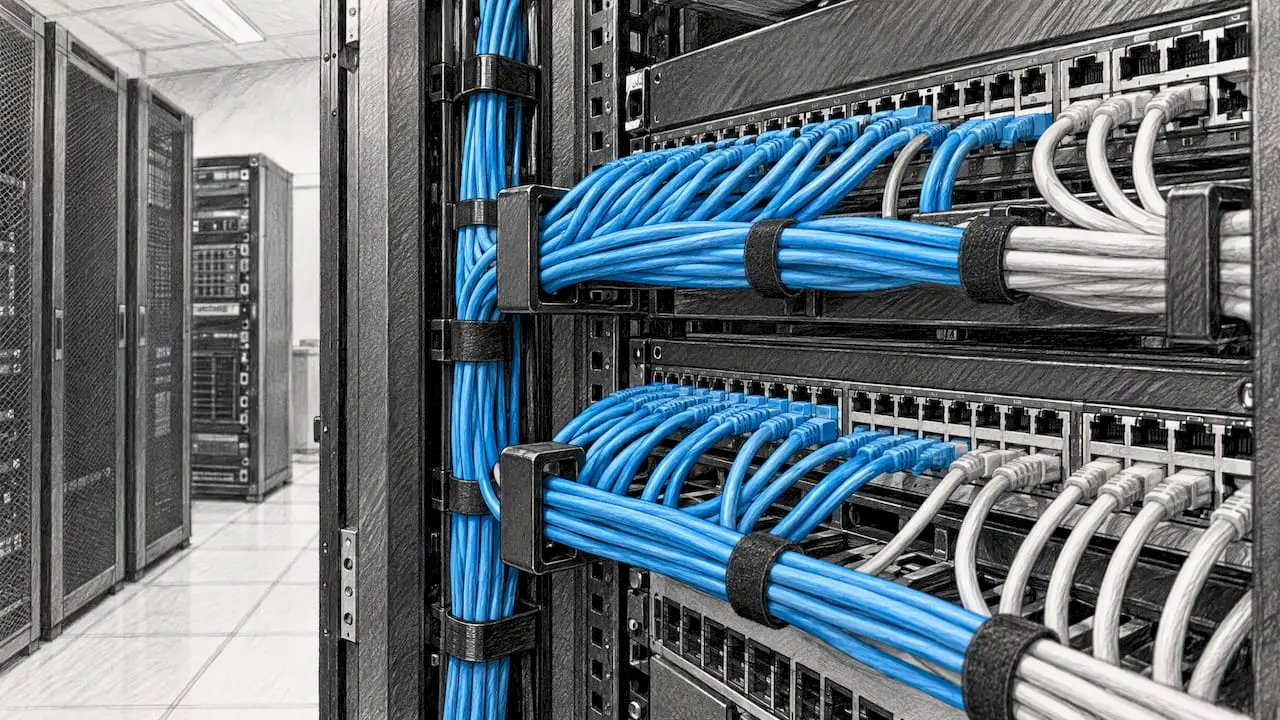
When cabling or network capacity becomes the limiting factor rather than the NAS itself, it is worth reviewing your structured cabling to confirm the physical network can actually deliver the throughput your storage promises.
Common SAN use cases
SAN earns its cost and complexity where latency and consistency genuinely matter to the business.
- Databases and transactional systems, where every millisecond of latency affects query response times and user experience.
- VM datastores supporting large virtualised estates, where many VMs compete for the same storage and need predictable I/O.
- AI training and large sequential workloads, where NVMe-oF or Fibre Channel SAN deliver the sustained throughput needed to keep GPUs fed, while NAS tends to suit inference and general file access better.
- Workloads needing multipathing or quality-of-service controls, where SAN features guarantee a consistent experience even as demand fluctuates.
For AI training specifically, sustained sequential throughput still favours a well-configured SAN fabric over file-level NAS, though the gap continues to narrow as faster protocols spread.
Convergence: modern appliances and when the lines blur
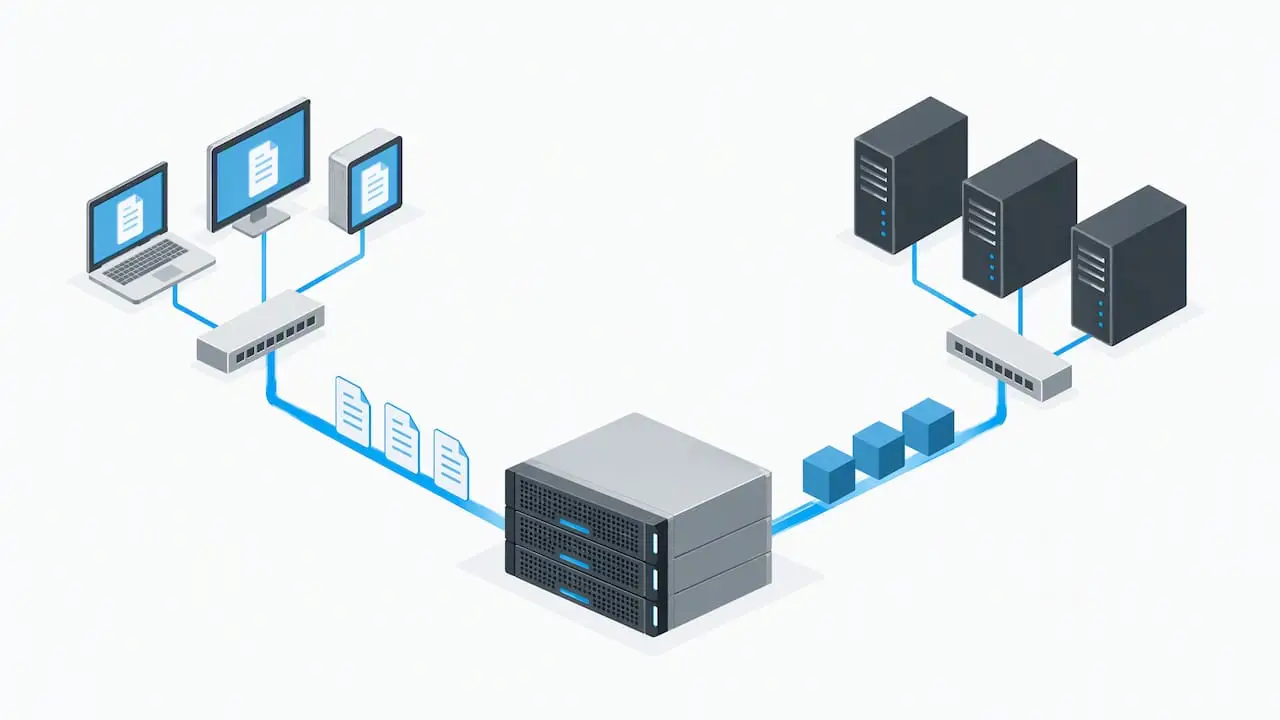
Many storage vendors now sell unified appliances that present both file and block storage from the same underlying hardware, with the deciding factor being how the data is presented and which protocol is in use rather than the physical box itself, as TechTarget notes in its protocol comparison.
A few signs suggest a unified appliance could serve you better than two separate systems:
- You need both file shares and block volumes but do not have the scale to justify dedicated SAN and NAS hardware.
- Your workloads are mixed, with some needing low latency and others simply needing shared file access.
- You want a single management interface rather than separate tools for block and file storage.
- Your growth plans are uncertain, and flexibility to shift between presentation types matters more than squeezing out maximum performance.
Faster Ethernet and NVMe over Fabrics have done much of the work here, letting block-level performance ride over infrastructure that used to be reserved for file traffic. Hybrid designs that tier older data to the cloud, discussed in our comparison of on-premises and cloud servers, extend this flexibility further.
How to choose: a checklist and procurement questions
Before committing to either architecture, work through a short checklist rather than defaulting to what you already know.
- Define your workload profile: list the applications involved and whether they need file or block access, and how many concurrent clients or VMs will hit the storage at once.
- Set performance targets: estimate your working set size, and separate peak throughput requirements from sustained, day-to-day load.
- Map required features: decide whether you need snapshots, replication, multipathing or quality-of-service guarantees, since these shape both architecture and cost.
- Plan for growth: check whether your chosen system scales up, scales out, or both, and what that costs at each stage.
- Set a budget envelope: weigh hardware, licensing and the specialised skills a SAN fabric may demand against the comparative simplicity of Ethernet-based NAS.
Pro Tip: Ask any vendor or managed provider directly about their support SLA, the expansion path for your specific model, the licensing structure, and what in-house skills or training your team will need to run it day to day.
For organisations without a dedicated storage specialist on staff, a managed provider can absorb much of this operational load, handling monitoring, expansion planning and day-to-day troubleshooting on your behalf.
Author perspective and practical recommendation
If your team is small and your needs centre on shared files, backups and general collaboration, NAS will almost always serve you well and cost less to run. Larger estates with databases, heavy virtualisation or AI workloads justify the added complexity of SAN, particularly as NVMe-oF narrows its cost premium. Either way, start with a small pilot against your real workload before committing budget, and lean on a managed partner if the skills gap is the real obstacle rather than the technology itself.
— Carl
FAQ
What does NAS stand for in storage?
NAS stands for network-attached storage, a system that presents data to clients as files over a network rather than as raw blocks. It typically uses NFS for Linux and Unix clients or SMB for Windows clients, with the NAS device itself managing the underlying file system.
What is an example of a SAN?
A typical SAN consists of storage arrays connected to servers through host bus adapters and a dedicated switch fabric, commonly using Fibre Channel, iSCSI or NVMe over Fabrics. This setup presents block-level storage directly to the host, which then manages its own file system on top.
What are the key differences between NAS, SAN and DAS storage systems?
NAS presents files over a network and manages its own file system, SAN presents raw blocks over a dedicated network fabric and leaves file system management to the host, and DAS (direct-attached storage) connects storage directly to a single server with no network in between. SAN generally offers the lowest latency of the three, NAS offers the simplest shared access, and DAS offers the least flexibility for sharing across multiple servers.
Which NAS is the best?
There is no single best NAS, since the right choice depends on your capacity needs, number of concurrent users and whether you need clustering or cloud tiering. Smaller teams often do well with a straightforward single-node NAS, while larger, growing environments benefit from scale-out NAS platforms that add nodes as demand increases; a brief consultation with an IT infrastructure specialist can help match the right model to your actual workload.
Sources
- SAN vs NAS: For AI, virtual machines and containers | Computer Weekly
- Comparing 7 storage network protocols | TechTarget
- Storage Magazine commentary on NAS vs SAN
- Storage area network — Wikipedia