
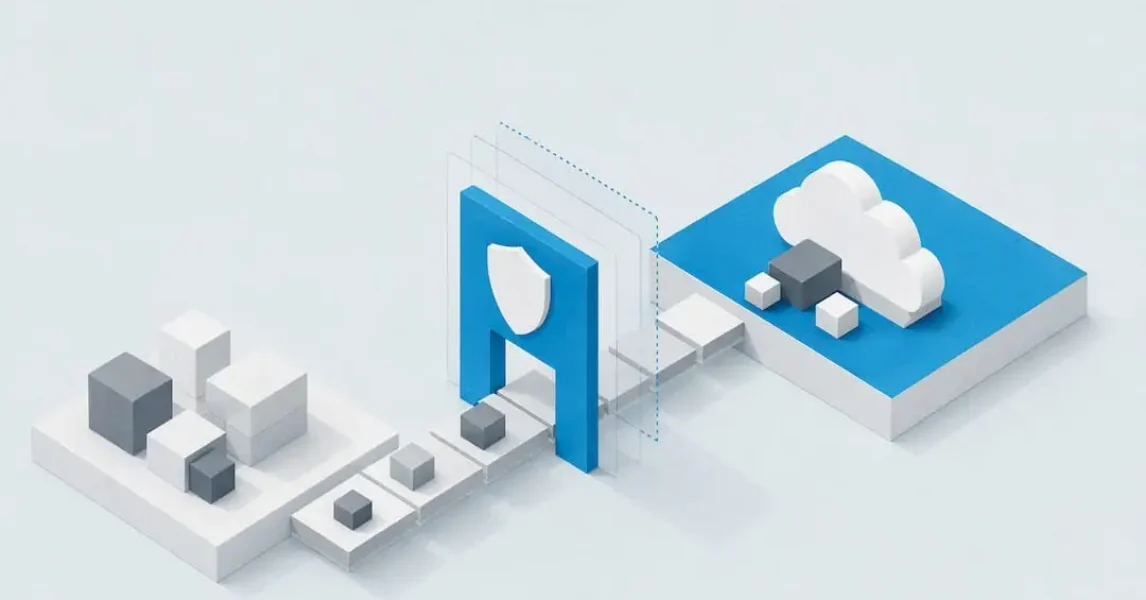
A successful cloud migration follows six stages: discover, assess, plan, secure, migrate and optimise. Getting this right means finishing with a validated wave plan, a tested rollback runbook and monitoring that confirms the new environment performs as intended. Frameworks such as Azure Migrate and Microsoft’s Cloud Adoption Framework exist precisely because skipping steps is what causes most migration failures.
TL;DR:
- Discovery must be comprehensive, combining automated tools and stakeholder input to create an accurate inventory, dependency map, and performance baseline.
- Workload assessment involves classifying criticality, identifying blockers, and prioritizing migration waves based on dependencies and risks, with performance-based sizing preferred.
- Selecting migration strategies relies on the 7 Rs framework, matching each workload to the appropriate rehost, replatform, refactor, or other approach, considering dependency chains.
- Security and compliance checks should be integrated during assessment, mapping identities, firewall rules, and obligations to avoid delays or failures during cutover.
- Post-migration monitoring, resource optimization, and review are essential to confirm improvements and address issues, with formal sign-off and runbooks guiding the cutover process.
Table of Contents
- Discover and inventory: run discovery and build an application catalogue
- Assess workloads: sizing, risk, compliance and prioritisation into waves
- Choose strategy and method: apply the 7 Rs and select migration approaches per workload
- Security, identity and compliance checklist (do these in assessment)
- Data migration and network: pick the path, size bandwidth and validate integrity
- Test, pilot and cutover: runbooks, rollback triggers and acceptance criteria
- Operate and optimise: monitoring, cost controls and post-migration review
- How Lancast supports migrations: services, deliverables and next steps
- Practical pitfalls and quick pro tips from practitioners
- Lancast managed migration services and contact call to action
- Sources
- FAQ
Discover and inventory: run discovery and build an application catalogue
Every migration checklist starts the same way: you cannot move what you have not properly counted. Discovery means running automated tools to scan your estate, then supplementing that data with conversations with the people who actually own each system, because software rarely tells you why an application matters or who depends on it.
The goal is a complete picture of your environment before any assessment work begins. That means capturing virtual machine and server specifications, operating system versions, middleware, database engines, storage consumption, network traffic patterns and any SaaS integrations that quietly connect one system to another. Dependency mapping tends to surface the surprises: an invoicing tool that talks to three other systems nobody remembered, or a reporting job that runs against a database earmarked for retirement.
By the end of discovery, you should have:
- An inventory spreadsheet covering every server, application and dependency across the estate.
- A dependency diagram showing which systems talk to which, and how critical each connection is.
- A performance baseline snapshot recording current CPU, memory and I/O patterns for comparison later.
- A definitive application catalogue that feeds directly into workload assessment and wave planning.
This catalogue becomes the single reference point for every decision that follows. Assessment teams use it to size target environments, security teams use it to spot unmanaged accounts and unpatched systems, and project managers use it to sequence the migration waves. Skipping or rushing discovery is the single most common reason migrations run over budget, because problems that should have surfaced in week one instead appear during cutover, when they are far more expensive to fix.
Assess workloads: sizing, risk, compliance and prioritisation into waves
Assessment turns your inventory into a decision. For each workload, you need to know how it should be sized in the target environment, how risky it is to move and where it sits in your priority order.
Azure Migrate supports both as-is and performance-based assessment types, and its own guidance recommends performance-based sizing wherever possible, since it uses actual CPU, memory and IOPS metrics rather than assumptions. That only works if you collect enough data first: assessments are point-in-time snapshots, and performance-based sizing needs sufficient profiling time before it produces reliable numbers.
Work through each workload with this sequence:
- Classify it by business criticality, technical complexity and any regulatory obligations attached to the data it holds.
- Assign a recovery point objective and recovery time objective, and name an accountable owner for the workload.
- Flag remediation needs and blockers, such as unsupported operating systems or licensing that does not transfer.
- Slot it into a migration wave based on dependency chains and business risk tolerance.
- Record a cost estimate and compatibility notes so stakeholders can see the trade-offs before committing.
The output of this phase is a prioritised wave plan alongside a risk register listing every remediation item and blocker by workload. The Cloud Adoption Framework treats dependency mapping, workload classification and wave planning as the core deliverables of this stage, and recommends piloting low-dependency applications first to validate your tooling and runbooks before touching anything business-critical.
Pro Tip: Run performance-based assessments for a sufficiently long period before sizing target resources: shorter sampling windows tend to miss peak-load patterns and lead to undersized environments.
Choose strategy and method: apply the 7 Rs and select migration approaches per workload
Not every workload deserves the same treatment. The 7 Rs framework gives you seven strategic options: rehost (move as-is), replatform (make minor cloud optimisations), refactor (rearchitect for cloud-native benefits), repurchase (switch to a SaaS alternative), retain (leave it where it is for now), retire (decommission it) or relocate (move at the hypervisor level with minimal change).
Choosing between them depends on how much value modernisation would add versus how much risk and time it would cost. A legacy application nearing end of life rarely justifies refactoring. A core system with years of runway ahead might justify the investment.
Practical guidance for the technical approach:
- Rehost works well for straightforward lift-and-shift moves where speed matters more than optimisation.
- Replication or change-data-capture tools suit databases and systems that need to stay live during the cutover window.
- Replatforming fits workloads that can gain meaningful efficiency from small changes, such as swapping a self-managed database for a managed service.
- Refactoring is reserved for applications where the long-term cost savings or performance gains justify a rebuild.
Group workloads into waves that respect their dependencies rather than migrating them in isolation. A wave that splits an application from its database, or separates two systems that exchange data continuously, creates exactly the kind of fragile cutover that turns a planned maintenance window into an incident.
Security, identity and compliance checklist (do these in assessment)
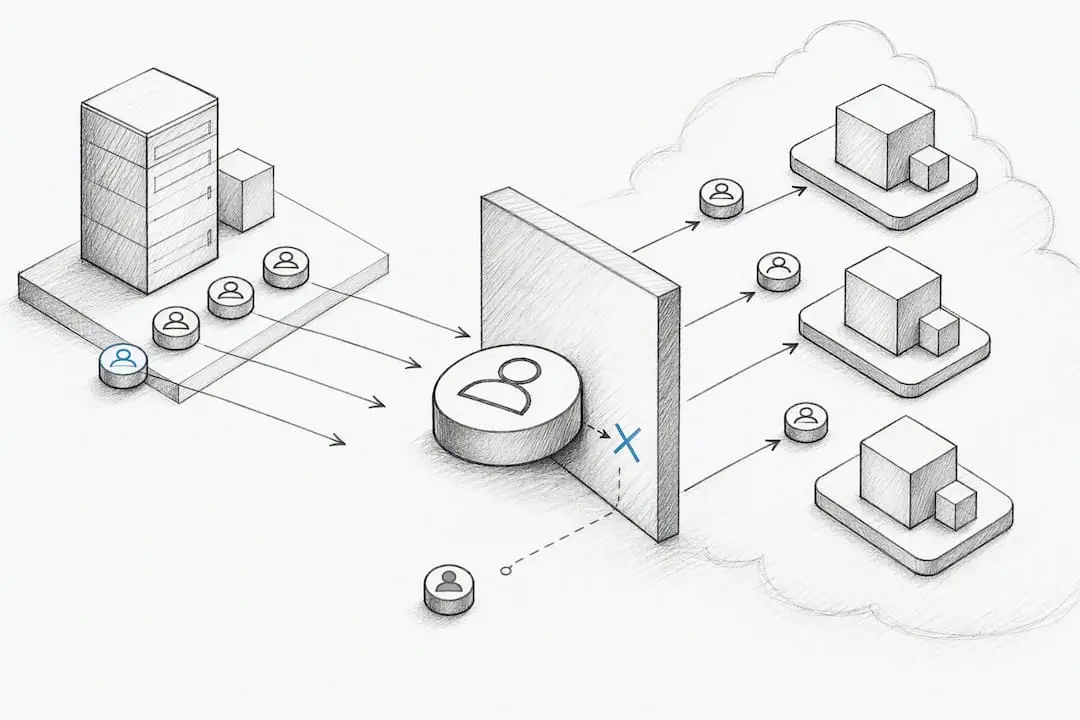
Security is too often treated as a task for after the migration finishes, and that is a mistake. Guidance from Insight Global is direct on this point: identity configurations, firewall rules and regulatory obligations need to be inventoried and mapped during the initial assessment, not bolted on afterwards once systems are already live in the new environment.
Build this into your assessment phase:
- Inventory every identity, privileged account and service principal, and plan how each will map to least-privilege roles in the target environment.
- Document existing firewall rules and network segmentation, then design the required ingress and egress rules for the target before migration begins.
- Identify every applicable standard and contractual obligation, such as ISO 27001, and map the specific controls each one requires onto the new environment.
- Confirm that encryption and key management are preserved or improved, never weakened, as part of the move.
Building this checklist into assessment rather than deployment avoids the most common blocker teams hit during cutover: discovering, mid-migration, that a compliance requirement was never mapped. Include these checks explicitly in your acceptance testing, and treat identity and firewall mapping as first-class deliverables of assessment, on the same level as performance sizing. Lancast’s security and vulnerability management services cover this kind of assessment for organisations that want a second set of eyes on identity and firewall design before they commit to a cutover date.
Pro Tip: Map every service account before you migrate anything: orphaned or overprivileged accounts are one of the most common sources of post-migration security incidents.
Data migration and network: pick the path, size bandwidth and validate integrity
How your data gets from one environment to the other depends on volume, sensitivity and how much downtime you can tolerate. Options range from private circuits such as ExpressRoute or Direct Connect, through site-to-site VPN, to physical transfer appliances or straightforward internet-based replication for smaller, less sensitive datasets.
Bandwidth planning matters more than most teams expect. A dataset that looks manageable on paper can take days over a shared internet connection, and scheduling large transfers during business hours without throttling windows will degrade performance for everyone still using the old system.
Practical tasks for this stage:
- Calculate transfer volumes and choose the connectivity method that fits your timeline and sensitivity requirements.
- Set throttling windows and schedule large transfers outside business hours to protect day-to-day operations.
- Validate integrity with checksum or hash comparisons, test restores and full end-to-end reconciliation before declaring any dataset migrated.
- Decide your cutover technique per workload: a flash-cut for simple systems, a phased approach for complex dependencies, or incremental replication for systems that cannot tolerate downtime.
Whichever method you choose, keep rollback controls active until the new environment has proven itself under real load, not just in testing.
Test, pilot and cutover: runbooks, rollback triggers and acceptance criteria
Cutover is where planning either pays off or falls apart. Running a pilot wave in a non-production environment first gives you a low-risk way to catch problems and update your runbooks before anything business-critical is on the line, and this is exactly the approach Cloud Adoption Framework guidance recommends: start with low-dependency applications to validate tooling before moving on.
Work through cutover in this order:
- Run the pilot wave and capture every lesson learned, then fold those fixes into your runbooks before the next wave.
- Build test suites covering functional behaviour, performance, security, failover and data reconciliation, each with a clear pass or fail threshold.
- Set explicit rollback triggers in advance, so the decision to reverse a migration is never made under pressure during the cutover window.
- Document escalation contacts and runbooks so operations staff know exactly who to call and what to do if something goes wrong.
- Require formal sign-off against your acceptance criteria before the final cutover, and confirm monitoring is live before you consider the migration complete.
Teams that skip the formal sign-off step tend to discover gaps only once users start reporting problems, which is the most expensive way to find them. A one-page cutover checklist, agreed in advance by both technical and business stakeholders, keeps everyone aligned on what “done” actually means.
Operate and optimise: monitoring, cost controls and post-migration review
Migration does not end at cutover. The weeks that follow determine whether the move actually delivered the performance and cost improvements it promised.
Start by comparing post-migration performance and spend against the baselines you captured during discovery. Any gap between expected and actual performance needs investigating immediately, before it becomes accepted as normal.
- Implement monitoring and alerting tuned to the new environment, and update operational runbooks to reflect how the system actually behaves in production.
- Right-size instances once real usage patterns are visible, since initial sizing is often conservative.
- Reclaim orphaned resources such as unattached storage volumes or idle test environments left over from migration waves.
- Consider reserved or savings-plan pricing once workload patterns stabilise, rather than locking in commitments too early.
Widely used checklists structure this phase as a dedicated final step, with a 10-step cloud migration checklist explicitly ending on reviewing resource allocation after go-live, rather than treating optimisation as an afterthought. Schedule a formal post-migration review within the first month to capture what worked, what did not, and where modernisation opportunities now exist that were not practical before the move.
How Lancast supports migrations: services, deliverables and next steps
Lancast works with organisations that want an experienced partner handling the technical detail of a migration rather than building that capability in-house from scratch. As a Microsoft Cloud Service Provider, we bring structured discovery, assessment and cutover planning to projects of this kind.
A typical engagement produces:
- A full inventory and dependency catalogue built from discovery, matching the outputs described earlier in this checklist.
- A prioritised wave plan with risk register, remediation list and agreed cutover dates.
- Tested runbooks covering rollback triggers, escalation contacts and acceptance criteria.
- Post-migration monitoring and support through our Managed Services, so the new environment stays stable once the project team moves on.
We also cover backup and disaster recovery planning alongside the migration itself, since a data protection strategy that was designed for the old environment rarely fits the new one without review.
If you are weighing whether to run this checklist internally or bring in support, the next section covers where that decision typically pays off.
Practical pitfalls and quick pro tips from practitioners
Most migration problems trace back to the same handful of causes. Undiscovered dependencies are the most common: a system nobody flagged during discovery turns up mid-cutover, dragging its dependents down with it. Identity mapping gaps come a close second, where accounts created years ago no longer match anyone’s actual job. Inadequate bandwidth planning rounds out the list, turning what should have been an overnight transfer into a multi-day delay.
A few habits reliably prevent these:
- Pilot small, low-dependency applications first to validate your tooling before touching anything critical.
- Automate discovery wherever possible rather than relying on memory or outdated documentation.
- Document rollback steps in detail before you need them, not while an incident is unfolding.
- Keep stakeholders informed at each wave, since surprises erode trust faster than delays do.
A well-written runbook and a one-page cutover checklist are worth more to an operations team, on the night of a migration, than almost anything else in the plan.
— Carl
Lancast managed migration services and contact call to action
Running this checklist properly takes time most internal IT teams do not have alongside their day-to-day workload. Lancast handles migration projects end to end, from discovery through to post-migration support, so your team keeps the business running while we manage the technical detail.
Depending on what your migration needs, that might mean:
- Ongoing operational support through managed service tiers once the new environment is live.
- Project delivery for the migration itself, including assessment, wave planning and cutover management.
- Security and backup services to make sure identity, firewall and data protection requirements are covered before go-live.
A first conversation usually starts with a short discovery call to understand your current environment and what you are trying to achieve. From there, we can scope an assessment and put together a wave plan tailored to your systems. Get in touch with Lancast to talk through a migration quote.
Sources
For readers who want to go deeper on any stage of this checklist, these are the primary references worth bookmarking:
- Assessment best practices — Azure Migrate | Microsoft Learn
- Planning your cloud migration: A 10-step cloud migration checklist — New Relic
- Biggest challenges facing cloud migration — Insight Global
For advanced security testing needs beyond assessment, Earthshaker Security offers specialist penetration testing services worth considering alongside your migration plan.
FAQ
What are the seven steps of a cloud migration model?
A common cloud migration model follows discovery, assessment, planning, security review, data migration, testing and cutover, then post-migration optimisation. The exact naming varies between frameworks, but the Cloud Adoption Framework structures its guidance around assessing workloads, mapping dependencies and planning migration waves as the core stages.
What are the seven Rs of cloud migration?
The 7 Rs are rehost, replatform, refactor, repurchase, retain, retire and relocate, each describing a different level of change applied to a workload during migration. This framework, documented in AWS Prescriptive Guidance, helps teams decide how much effort a given system deserves before it moves.
What tools are commonly used for cloud migration?
Commonly used tools include Azure Migrate for discovery and assessment, alongside vendor-specific replication and change-data-capture tools for live data transfer. The right toolset depends on your source environment, target platform and how much downtime each workload can tolerate.
What are the five Rs in cloud migration?
Some frameworks use a shorter five Rs model covering rehost, replatform, refactor, retire and retain, dropping repurchase and relocate from the fuller seven Rs list. Definitions vary between vendors, so it is worth checking which version a specific framework or tool provider is using before applying it to your own plan.
How long does a typical cloud migration take?
Migration timelines depend heavily on the number of workloads, their complexity and how much remediation each one needs before it can move. Rather than fixing a date upfront, most practical checklists recommend building a phased wave plan based on assessment findings, as outlined in Azure Migrate’s guidance.