

For most small and medium-sized businesses in Ireland, hybrid cloud means keeping the systems that are costly or risky to move on your own premises, putting the workloads that benefit from flexibility into the public cloud, and connecting the two so that staff experience one working environment. It is rarely a single product. It is a design decision, and it works best when one team owns the design, the connection between the two sides, the security and the backups. That is the part we do for our clients at Lancast, as an IT infrastructure and managed services provider with 30 years of experience and a Microsoft Cloud Service Provider status.
This guide explains what hybrid cloud is in plain terms, when it suits an SME, how to plan the setup step by step, and what to put in place so it stays secure and manageable after go-live.
TL;DR
- Hybrid cloud combines on-premises servers with public cloud services, joined by a working connection, so each workload lives where it makes most sense.
- It suits SMEs with existing hardware, older applications or sensitive data that cannot simply be lifted into the cloud.
- Start with a workload-by-workload cost and risk review, then migrate low-risk systems first and keep a tested backup throughout.
- The real work is the connection, identity and security across both environments, which is where managed support pays for itself.
- Cloud providers do not always back up everything automatically, so backup and recovery must be designed, not assumed.
Table of Contents
- What hybrid cloud means for a small business
- Why hybrid is often the realistic route for SMEs
- Which workloads go where
- How to set up a hybrid cloud, step by step
- Security across two environments
- Backup and recovery are not automatic
- What hybrid costs and how to keep it manageable
- Our perspective
- Getting started with Lancast
- FAQ
- Sources
What hybrid cloud means for a small business
A hybrid cloud is a mixed computing environment that combines public cloud, private cloud and on-premises data centres or edge locations, according to Google Cloud’s explanation. In SME terms, that usually means one or two physical servers in your office or a hosted rack, plus services such as Microsoft 365, cloud storage or cloud-hosted applications, all working together.
The word “together” matters. Cloudflare’s guide points out that the environments must be tightly interconnected, typically through APIs, VPNs or wide area networks. Without that working connection you are simply running separate systems side by side. A file server in the office and a cloud mailbox are not a hybrid cloud until identity, access and data flow between them are designed deliberately.
The other terms are easier once that is clear. Public cloud is infrastructure shared between many customers and rented as you use it. Private cloud is dedicated to one organisation, either on your premises or hosted. On-premises means equipment you own and house yourself. Hybrid uses a mix, and Microsoft describes the typical split as sensitive workloads in a private environment, with the public cloud used for scalability, testing or backup.

Why hybrid is often the realistic route for SMEs
Most SMEs do not start with a blank page. They have a server that still runs the accounting package, a line-of-business application that nobody wants to touch, a set of desktops and printers, and a need to support remote work. The Open Group’s guidance for small and medium enterprises calls hybrid “probably the most realistic” model because it lets a business use cloud services while keeping its existing internal IT investment.
The Irish market is moving the same way. Mordor Intelligence’s 2026 analysis of the Irish ICT market reports that cloud held a 53.12% share in 2025, with hybrid deployment growing at a 6.22% compound annual rate through 2031. The Bank of Ireland’s technology sector report found that 32% of Irish companies hosted all corporate systems in the cloud in the first half of 2024, up from 15% in 2023, while the share keeping systems on-premises and using cloud only for less sensitive data fell to 17%. Those figures describe a market in transition, and a hybrid design is how many businesses make that transition without a single risky cutover.
Hybrid tends to suit you if one or more of these describe your business:
- You have servers that are not yet at end of life and still do useful work.
- You run a legacy or specialist application that is hard to move.
- You hold client or personal data and want clear control over where it sits.
- Your workload is uneven, with peaks such as month-end, seasonal trading or project work.
- You want Microsoft 365 and cloud collaboration now, but need time for the rest.
For a broader look at the on-site versus cloud question, our article on on-premises versus cloud servers for business sets out how the two compare.
Which workloads go where
The most useful exercise in any hybrid project is sorting workloads, not choosing a vendor. The Open Group notes that temporary, seasonal or project-based workloads are prime candidates for public cloud, that legacy applications are the hardest to move, and that workloads combining sensitive data with heavy processing, such as business intelligence, suit a hybrid arrangement where data stays in your own environment and processing power is drawn from the cloud.
Translated into a typical Irish SME, a sensible first sort looks like this.
| Workload | Usual home in a hybrid design | Why |
|---|---|---|
| Email, calendars, Teams, SharePoint | Public cloud (Microsoft 365) | Predictable, well-supported and easy to scale per user |
| Backup copies and archives | Cloud, alongside a local copy | Off-site protection without extra hardware |
| Legacy line-of-business application | On-premises, for now | Hardest to move, may need rework first |
| Sensitive client or financial data | On-premises or private hosting, connected securely | Clear control over location and access |
| Seasonal or project workloads | Public cloud | Capacity when you need it, no idle hardware |
| Print, local network and cabling | On-premises | Physical by nature, needs a solid foundation |
The table is a starting point. Your own list will differ, and that is the point of doing it properly. Our Microsoft 365 migration guidance for growing businesses covers the cloud end of this sort in more depth.
How to set up a hybrid cloud, step by step
A hybrid setup goes well when it is staged. Here is the order we recommend, with what each step takes and where it commonly goes wrong.
1. Take stock and set a cost baseline
List every application, server, device and data store, who uses it, and what it costs to run: hardware, software licences and operating costs. The Open Group advises SMEs to establish the current cost baseline of each workload before building a cloud business case. Without it you cannot tell whether a move saves money or simply moves the bill.
Where it goes wrong: undocumented systems. A forgotten server running one scheduled job is the classic surprise. A proper audit of hardware, software and network is part of the IT consultancy we offer, and it is the foundation for everything that follows.
2. Decide the placement model
The Cloud Standards Customer Council’s practical guide sets out four basic ways to place applications in a hybrid environment: application and data in the public cloud linking back to on-premises systems; application and data in a private cloud; an on-premises application that calls public cloud services; or components split across public, private and on-premises environments. For most SMEs the third option is the natural first step, for example an office-based application that uses cloud storage or cloud backup.

Where it goes wrong: choosing the model by technology preference rather than by what each application can actually tolerate in terms of latency, licensing and support.
3. Design the connection and identity
This is the step that makes the environment hybrid. The same guide stresses that success depends on connectivity and integration: support for open standards on the provider side, exposed interfaces on your on-premises systems, and identity and access management that authenticates users across clouds. In practice for an SME, that means a secure site-to-cloud link, a single sign-in for staff, and a network that has the bandwidth and cabling to carry the extra traffic.
Where it goes wrong: treating the link as an afterthought. A cloud service that is slow because the office connection or internal cabling cannot cope will be blamed on the cloud, when the fault is in the foundation. We design and install structured cabling and network infrastructure as part of our work, so the local side is ready before anything moves.
4. Move the low-risk systems first
Start with file sharing, collaboration and storage rather than your most critical application. Avoid peak trading periods, and plan the order so that each move can be reversed if needed. Email and document migration to Microsoft 365 is the usual first wave, and our cloud migration checklist covers the security steps to put in place before and during it.
Where it goes wrong: moving everything over a weekend. Staged moves give your team time to adjust and give us time to fix permissions, mailbox rules and shared drives before they cause disruption.
5. Secure and back up both sides
Security and backup need their own design, covered in the next two sections.
6. Check after each move
After every migration step, confirm that data arrived intact, permissions match the old setup, integrations still work, backups are running and sensitive data is protected. Then monitor, because a hybrid environment changes as you add users, applications and sites.
Security across two environments
Hybrid security is more than the sum of two sets of controls. Cloudflare lists the main exposures: a larger attack surface, more complex integrations and harder cross-cloud identity checks, because cloud-hosted resources sit outside your office firewall. The Technological University Dublin study of SME cloud adoption likewise identifies security and privacy, connectivity and performance, and fear of losing control as the major concerns. Handled well, each of these is a design requirement rather than an obstacle.
A sound baseline for an SME hybrid environment includes:
- One identity system with multi-factor authentication across office and cloud.
- Anti-virus and endpoint protection on every device, managed centrally.
- Regular vulnerability scanning and patching of on-premises servers, which the cloud provider will not do for you.
- A written threat and risk assessment so you know what you are protecting first.
- Penetration testing at sensible intervals to prove the design works.
These map directly onto the anti-virus management, vulnerability management, threat risk assessment and penetration testing we provide, described on our security services page. Our overview of cybersecurity trends Irish businesses must act on gives the wider context.
On data protection, GDPR applies wherever your data sits. Choose cloud services whose data storage location, certifications and contract terms you understand, and keep a record of where personal data lives in both halves of the hybrid.
Backup and recovery are not automatic
The most common false assumption we meet is that data in the cloud is already backed up. ENISA, the EU cybersecurity agency, warns in its guide for SMEs that cloud providers do not always back up all data automatically or for free, and advises SMEs to assess what the provider backs up and to add or request further backup mechanisms. The same guide notes that backups can be automated and tested, and that roll-back options exist.
For a hybrid business this means designing backup around both environments: local servers backed up to a second location, cloud data such as Microsoft 365 mailboxes and files protected separately, and a recovery plan that states how long each system can be down and how much data you can afford to lose. We provide backup and data recovery and disaster recovery as services, so the plan, the tooling and the testing sit with one team.
What hybrid costs and how to keep it manageable
The honest answer on cost is that hybrid replaces a single large hardware outlay with a mix of continuing hardware costs and monthly cloud charges. Google Cloud lists the practical overheads: continued investment in in-house hardware and software, the need for new technical expertise, limited visibility across systems and difficulty synchronising data between incompatible environments. These are the running tasks of any hybrid design, and they are the reason it should be managed rather than left to whoever in the office is best with computers.
To keep costs predictable:
- Price each workload against its baseline from step one, not against a general cloud estimate.
- Replace hardware at its natural end of life rather than before, and move that workload to the cloud at that point if it suits.
- Decide support cover at the start, so monitoring, patching and help-desk requests are part of the plan.
The question of who runs this day to day is worth settling early. Our comparison of managed IT versus in-house IT sets out how businesses of your size usually divide the work, and our page on cloud services for small business shows how those services are matched to the size of the organisation.
Our perspective
Most SMEs we speak to do not need a grand cloud strategy. They need their email and documents to work from anywhere, their accounting system to stay fast, their data to be safe, and someone to call when something breaks. Hybrid cloud delivers all of that when it is built around those needs and not around a vendor’s product list.
What we have learned in 30 years of IT infrastructure work is that the technology is the easy part. The decisions that matter are which systems stay, which move, how the two sides connect, and who watches over them afterwards. That is why we pair design with proactive managed services: our Silver, Gold and Platinum support plans cover monitoring and remote and onsite support, so the environment we build keeps working as your business grows.
As a Microsoft Cloud Service Provider and an HP Amplify Partner, we can supply and integrate the cloud services and the hardware together, from Microsoft 365 to desktops and laptops, and from network cabling to backup. One partner for both halves of the hybrid means one point of accountability, and that is the simplest way we know to make hybrid cloud work for a small team.
Carl
Getting started with Lancast
If you are weighing up a hybrid setup, the best first step is a conversation about what you run today. We offer IT consultancy, Microsoft 365 and cloud services, backup and disaster recovery, network design and cabling, and security services, supported by proactive managed support on our Silver, Gold and Platinum plans, delivered remotely and onsite. You can see how the support plans work on our managed services page, or talk to us about your cloud plans through Lancast.
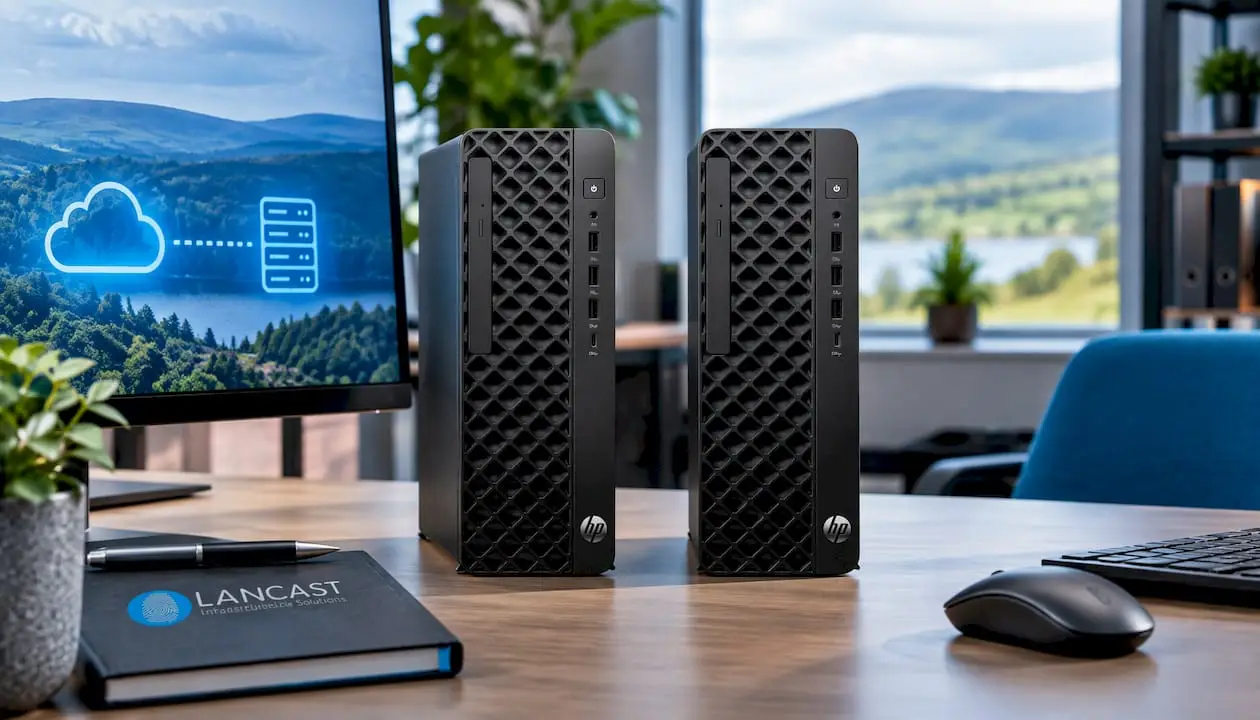
If your hardware is due for renewal as part of the plan, we also supply HP desktops and laptops, which can be specified and installed as part of the same project.
FAQ
What is a hybrid cloud in simple terms?
It is an IT setup that uses both your own on-site equipment and public cloud services, connected so they work as one environment. A common example is an office server for a specialist application alongside Microsoft 365 for email and documents. The connection between the two is what makes it hybrid.
What are the disadvantages of hybrid cloud?
It takes more design and upkeep than a single environment. You continue to maintain some hardware, you need skills across both sides, and security and identity have to be managed across the boundary. These are the reasons we recommend a planned build with ongoing managed support rather than an ad hoc mix.
Which workloads should stay on-premises in a hybrid setup?
Typically legacy applications that are hard to move, systems holding sensitive data you want to control directly, and physical services such as the local network and printing. Seasonal, project-based and collaboration workloads usually suit the public cloud. A workload-by-workload review confirms the split for your business.
Do I still need backups if my data is in the cloud?
Yes. ENISA’s guidance for SMEs notes that providers do not always back up all of your data automatically. A hybrid design should include a backup for local systems and a separate one for cloud data, with recovery tested regularly.
How long does a hybrid cloud setup take?
That depends on how many systems you run and how much needs to be rearranged first. A staged approach, starting with email and file sharing and moving critical applications later, spreads the change over weeks or months and keeps disruption low. We scope the timeline after reviewing your current environment.
Sources
- Google Cloud: What Is Hybrid Cloud? Benefits and Networking
- Cloudflare Learning Center: What is hybrid cloud?
- Microsoft Azure: What are public, private, and hybrid clouds?
- The Open Group: Maximizing the Value of Cloud for Small-Medium Enterprises
- Mordor Intelligence: Ireland ICT Market Size & Share Analysis
- Bank of Ireland: Technology, Media and Telecoms Sector Report, August 2024
- Cloud Standards Customer Council: Practical Guide to Hybrid Cloud Computing
- Technological University Dublin: Cloud Computing Adoption for SMEs
- ENISA: Cloud Security Guide for SMEs