

If ransomware has hit your business, the recovery runs in this order: isolate the affected devices, establish what happened and whether the attacker is still inside, meet your reporting duties, rebuild clean systems, restore from validated backups, and only then reconnect and monitor. Backups matter, but they are one step in an investigation-led process, not the whole answer. This guide sets out each step as we would walk an Irish organisation through it, and what to put in place now so the next incident is shorter and less damaging.
TL;DR
- Disconnect infected devices from every network straight away, but do not power off or wipe anything until you have thought about evidence.
- Do not restore from backups until you know how the attacker got in and that they have been removed, otherwise you may restart the incident.
- If personal data was encrypted or taken, Irish organisations must assess notification to the Data Protection Commission, which expects a report within 72 hours of becoming aware.
- Rebuild affected devices, test backups in isolation, and restore into a clean, fully patched network.
- Paying a ransom is not a recovery plan. Preparation, tested offline or immutable backups and a written playbook are.
Table of Contents
- What ransomware is, and why recovery is more than a restore
- Step 1: Contain the incident in the first minutes
- Step 2: Assess the scope and activate your plan
- Step 3: Investigate before you restore
- Step 4: Meet your reporting duties
- Step 5: Think carefully before any ransom decision
- Step 6: Rebuild clean, then restore
- How long does ransomware recovery take?
- Building the backup strategy that makes recovery possible
- Writing the playbook before you need it
- Reducing the chance of a repeat
- Our perspective: recovery is decided long before the attack
- How LANCAST can help
- FAQ
- Sources
What ransomware is, and why recovery is more than a restore
Ransomware is malware, not a separate kind of virus. The UK National Cyber Security Centre describes it as malware that usually encrypts files or blocks access to devices and data, followed by a demand for payment in exchange for decryption. Many modern incidents also involve stolen data and a threat to publish it, so getting your files back does not necessarily end the problem. Confidentiality, regulatory and reputational exposure can remain after the last file is decrypted.
That is why the NCSC treats recovery as an investigation-led programme covering incident investigation, system recovery, business continuity, communications and third parties, with leadership deciding when the remaining risk is low enough to proceed. Its guidance on recovery and ongoing investigations makes the same point: you set up a structured programme once you have recorded your initial assessment of the impact. A restore button pressed too early can hand the attacker a second opportunity, because whatever let them in is still there.
A note on sources. The NCSC and ICO are UK bodies, and their legal references apply to UK GDPR. For Irish organisations we use their technical guidance, which is sound and widely used, and we take reporting obligations from Irish authorities. We flag the difference where it matters.
Step 1: Contain the incident in the first minutes
The NCSC’s advice is to immediately disconnect infected computers, laptops or tablets from all network connections, whether wired, wireless or mobile. In a very serious case, it suggests considering switching off Wi-Fi, core network connections and internet access. Pull the network cable, disable Wi-Fi, and take shared drives and file servers off the network if they are affected.
Two cautions apply here. First, avoid actions that destroy evidence. Wiping a machine at this stage removes the traces you need to learn how the attacker got in. Second, think before powering devices off: your IT provider or incident responder may want to capture the state of a machine first. If in doubt, isolate rather than erase.
At this stage also:
- Photograph or note the ransom message, file extensions and any contact details shown on screen.
- Stop any backup jobs that might overwrite good copies with encrypted data.
- Check whether backup repositories, cloud storage and your Microsoft 365 tenant are reachable from the affected machines, and disconnect them from those machines if so.
- Move communication off the affected systems. If email or chat is compromised, use phones or a separate, trusted channel.
If you have a managed IT provider, call them now. If you do not, this is the moment to bring in an incident response specialist rather than improvise.
Step 2: Assess the scope and activate your plan
Next, work out what is affected and what the business cannot do without. Which servers, laptops, line-of-business applications and cloud accounts are encrypted? Which are untouched but at risk? What is the oldest clean backup of each system?
UK government guidance for organisations facing ransomware encourages preparation as part of business continuity planning: roles, contacts, decision criteria, workarounds for critical services and recovery priorities agreed in advance. It also warns that the systems you would use to open the plan may themselves be unavailable in an attack. Keep a printed or offline copy of your contacts and playbook.
If you have no plan, build a short one in the first hour:
- Name one incident lead who makes decisions and one person who keeps a written log of times, actions and findings.
- List the five systems or processes without which you cannot trade (payroll, orders, invoicing, telephony, customer records) and agree the order of recovery.
- Decide how staff will be told what to do, and what they should say to customers who ring.
- Identify who must be informed: insurer, legal adviser, data protection officer if you have one, and senior management.
If you carry cyber insurance, read the policy and call the insurer early. Many policies require notification before you engage outside responders or spend money on recovery.
Step 3: Investigate before you restore
This is the step most often skipped, and the one that most affects whether recovery sticks. The NCSC’s position is that you need to know how the attacker got in, where they moved and what persistence they left, and that they have been evicted, before systems come back. Restoring into a network where the intruder still holds valid credentials or a hidden foothold means you may simply be encrypted again.
A proper investigation looks for:
- Initial access: a phished account, an exposed remote desktop service, an unpatched internet-facing system or a stolen password without multi-factor authentication.
- Lateral movement: which accounts and systems the attacker used to spread, and whether domain administrator rights were obtained.
- Persistence: new accounts, scheduled tasks, remote access tools or changes to security software.
- Data theft: evidence that files were copied out before encryption, which changes your legal position.
The NCSC also recommends an independent post-incident review, because the people who run the systems are often too close to see their own gaps. Keep logs, disk images and the ransom note safe. They may be needed by your insurer, regulators or An Garda Síochána.
Step 4: Meet your reporting duties
For an Irish business, personal data is the trigger. Under GDPR, the Data Protection Commission explains that organisations must report a personal data breach to the supervisory authority within 72 hours of becoming aware of it, where there is a risk to the people affected. Where the risk to individuals is high, those individuals must also be told without undue delay. Even when you decide a breach does not need reporting, the DPC expects you to keep an internal record of the facts, who decided there was no risk and why.
Encryption alone can count. The UK ICO’s guidance on ransomware and data protection compliance treats a loss of timely access to personal data as a personal data breach, and the same logic applies under the EU regime in Ireland. The 72-hour clock starts when you become aware of the breach, not when the attackers first got in, and incomplete information is no reason to delay: a first report can be followed by further details. Your notification form goes to the DPC, not the ICO, so check the DPC’s page rather than copying UK procedure.
Also consider reporting the crime to An Garda Síochána, telling your insurer and, where you are a regulated or critical-services entity, any sector regulator. The Irish National Cyber Security Centre is the state body for national cyber security, and your legal adviser can tell you which reporting duties apply to your sector.

Step 5: Think carefully before any ransom decision
A ransom payment is not a shortcut to recovery. UK government guidance says organisations should weigh the legal, operational, ethical and reputational consequences, and notes that even with a key in hand, decryption can take weeks and does not remove the weakness that let the attacker in. Payment also offers no guarantee that stolen data will be deleted.
This is a decision for leadership with legal advice, not for the IT team under pressure. Take it after the investigation has told you what is encrypted, what is recoverable from backup and what was stolen. In many cases the discovery that clean backups exist changes the question entirely, which is the strongest argument for the backup work described later in this guide.
Step 6: Rebuild clean, then restore
Once investigators are satisfied the attacker has been removed and you understand how they entered, the NCSC’s clean-up sequence applies. Its ransomware guidance recommends resetting administrator and other system credentials, safely wiping and reinstalling affected devices, restoring only from backups you know are free of malware, updating operating systems and software on a clean network, scanning, and monitoring traffic after reconnection.
In practice we separate two ideas: a backup that is available and a backup that is clean. A backup you can open may still contain the malware, or credentials the attacker already stole. So:
- Reset credentials first. Every administrator, service and user account that could have been exposed, plus any API keys and remote access passwords. Do this before restored systems come online, or the attacker’s old access works again.
- Rebuild rather than clean. Wipe and reinstall affected servers and endpoints from trusted media. Cleaning an infected machine in place leaves too much room for doubt.
- Validate backups in isolation. Mount the candidate backup in a segregated environment, scan it, and check that it pre-dates the earliest sign of compromise.
- Restore into a clean network segment in your agreed priority order, starting with identity services and the systems the business cannot trade without.
- Patch fully before reconnecting to the wider network or the internet.
- Watch closely. Increase monitoring on restored systems for the following weeks, looking for the signs of the original intrusion returning.
Accept that you may lose some data. A restore returns you to the point the backup was taken, so recent work between that point and the attack may need to be recreated from emails, paper records or other sources.
How long does ransomware recovery take?
There is no single honest number. The NCSC says recovery from a serious incident may take several weeks and that reputational damage can last longer. What shortens it is almost always preparation: a rehearsed plan, current backups held somewhere the attacker cannot reach, clear priorities and a provider who already knows your environment.
A small business with tested backups and a defined order of recovery may bring its core systems back in days. One that has to rebuild identity services, discover its backups are encrypted too, and decide what matters most from scratch will take far longer. Our ransomware recovery case study shows what a compressed timeline looks like when the groundwork is done.
Building the backup strategy that makes recovery possible
The ICO’s data security guidance describes the 3-2-1 approach: three copies of your data, on two different devices or media, with one copy stored off-site. The aim is the ability to restore availability and access in a timely manner. An off-site copy can survive when ransomware reaches both production systems and local backups, though the restore point may mean some recent data is lost.
Three additions make the difference in a real incident:
- Immutability or isolation. At least one copy that cannot be changed or deleted by an attacker with admin credentials. We explain what to verify in our guide to immutable backups.
- Separate credentials. Backup consoles should not share logins with the domain they protect.
- Regular restore tests. A backup you have never restored is a hope, not a control. Test full restores of your priority systems on a schedule and record how long they take.
Cloud storage is not automatically safe. Synced folders can replicate encrypted files, which is why we wrote about whether ransomware can encrypt cloud files. For a broader plan, see our backup and disaster recovery plans for Irish SMEs and our overview of local and offsite data recovery and backup.
Writing the playbook before you need it
A recovery plan has to cover people as much as technology. The decisions that cost time during an incident are rarely technical: who can authorise shutting down the network, who speaks to customers, who calls the insurer, and which system comes back first. Settle them in advance and write them down, with a printed copy off the network.
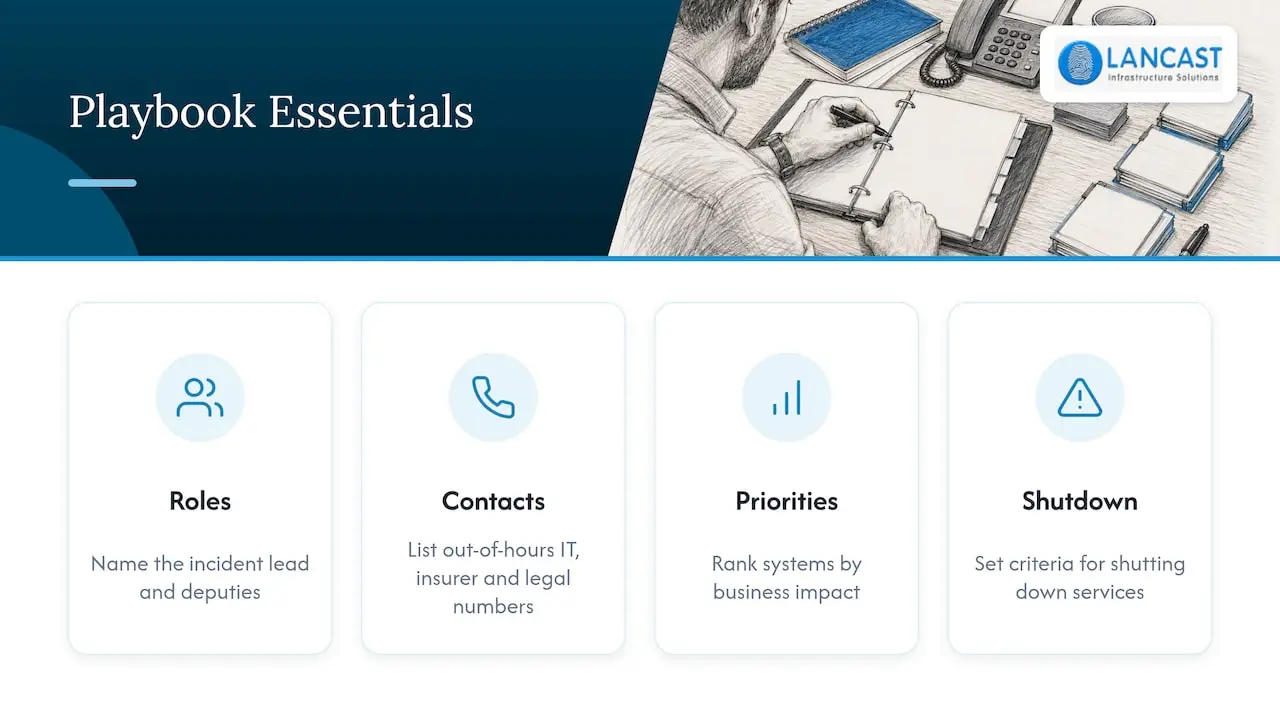
A useful playbook is short enough to follow under stress. It names the incident lead and deputies, lists out-of-hours contact numbers for your IT provider, insurer and legal adviser, ranks systems by business impact, and sets decision criteria for shutting down services. Reading about the role of disaster recovery in business continuity is a good way to see how roles, workarounds and system priorities fit together, and our own guide to a business continuity plan after a cyber attack covers the same ground from the point of view of an Irish SME.
Rehearse it. A two-hour tabletop exercise, where the team walks through a scenario such as encrypted file servers on a Friday evening, will expose missing phone numbers, unclear authority and assumptions about backups that nobody has checked.
Reducing the chance of a repeat
Most of what stops ransomware is unglamorous. The investigation will tell you which of these failed in your case, and each is worth reviewing regardless:
- Multi-factor authentication on email, remote access and every administrator account.
- Prompt patching of internet-facing systems and the operating systems and applications behind them.
- Endpoint protection that is actively managed and alerts someone who will act on it.
- Network segmentation, so one infected laptop cannot reach every server.
- Least-privilege access, so daily-use accounts do not carry administrator rights.
- Staff awareness of phishing, with an easy way to report a suspicious message.
- Regular vulnerability scanning and periodic penetration testing to find weaknesses before someone else does.
Our guide to cyber security for small businesses in eight steps goes through these in a practical order for smaller organisations.
Our perspective: recovery is decided long before the attack
We have supported Irish organisations for 30 years, and the pattern is consistent. Businesses that recover well are rarely the ones with the most expensive tools. They are the ones who knew what mattered most, had a backup they had actually tested, and had someone to call who already understood their environment.
The two mistakes we see most often are restoring too quickly and trusting backups that have never been checked. The first brings the attacker back in. The second turns a bad week into a bad quarter. Our advice is to treat backup and recovery as part of security, not as an IT chore, and to review it at least once a year with someone who will ask awkward questions.
We would also say plainly that recovery is a good moment to improve, not just to return to how things were. If an incident has shown that you lacked monitoring, clear ownership or a clean off-site copy, fix those as part of the rebuild while the business is paying attention.
— Carl
How LANCAST can help
We are an HP Amplify Partner and a Microsoft Cloud Service Provider, and our work covers the pieces a recovery depends on: proactive managed services with remote and onsite support, backup and disaster recovery, and IT security and data protection, including vulnerability management, penetration testing and threat risk assessment. If you want a view of how ready you are before an incident, or help with a plan, you can contact us through our website and we will talk through your setup.
FAQ
Should I turn off an infected computer?
Disconnect it from all networks first, as the NCSC advises. Whether to power it down depends on whether you need to preserve evidence, so ask your IT provider or incident responder if you can. Do not wipe or reinstall until the investigation has captured what it needs.
Do I have to report a ransomware attack in Ireland?
If personal data was affected, you must assess whether the breach needs reporting to the Data Protection Commission, which expects notification within 72 hours of becoming aware where there is a risk to individuals. Even if you decide not to report, keep an internal record of your reasoning. Your legal adviser can confirm any sector-specific duties.
Can I just restore from backup?
Only once you know the attacker has been removed and the backup is clean. Restoring too early can reintroduce the malware or leave their access in place. Validate backups in isolation and restore into a rebuilt, patched network.
Is ransomware a virus?
It is a type of malware rather than a distinct kind of virus. It usually encrypts files or blocks access to devices, then demands payment. Many attacks now also steal data, so removal and restoration alone may not end the incident.
Sources
- NCSC: Ransomware attack, what action to take
- NCSC: Ransomware attack
- NCSC: Recovery and ongoing investigations
- NCSC
- GOV.UK: CRI guidance for organisations during ransomware incidents
- ICO: Ransomware and data protection compliance
- ICO: A guide to data security
- Data Protection Commission: Breach notification