
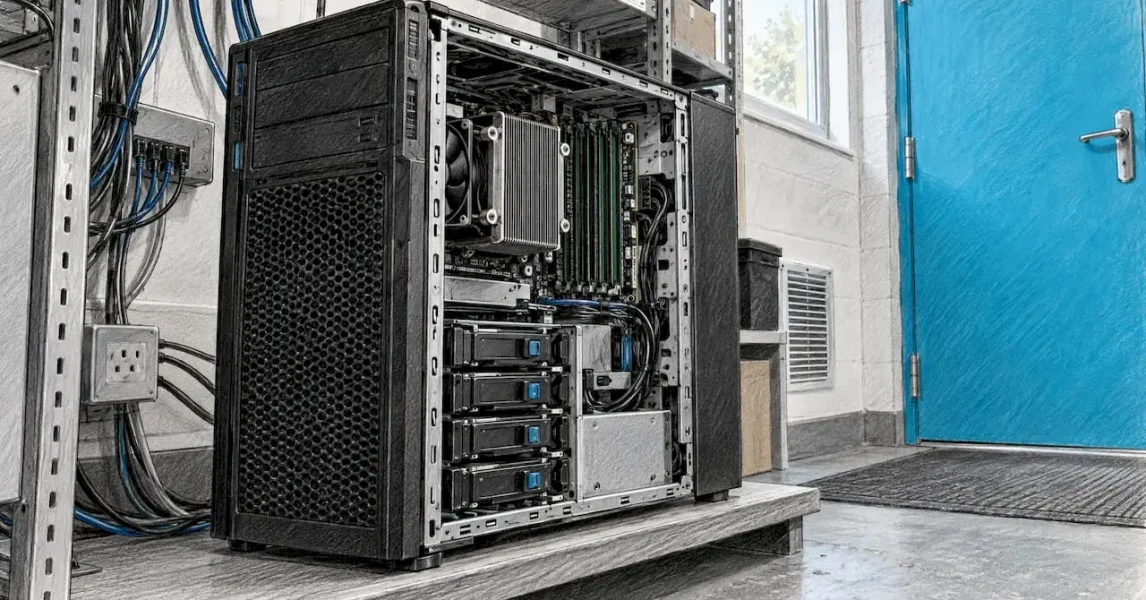
The right server for a small or medium business is sized from measured workloads, not from headcount or a catalogue model. Add up what each application needs at its busiest, add headroom, project growth over the three to five years the machine will stay in service, and only then choose hardware. It is a short exercise, and it is where most expensive mistakes are made or avoided. At LANCAST we have supported Irish organisations for 30 years, and our IT consultancy and server management are built around making that exercise routine rather than a guess.
TL;DR
- Size from workloads and peak load, not from the number of employees: ten staff rarely mean ten heavy sessions at once.
- Be generous with RAM and storage, and moderate with CPU: a full disk or exhausted memory causes failures, while a busy CPU mostly slows things down.
- Plan storage as current data, plus growth over the term, plus about 30% slack, then allow for RAID overhead.
- Set monitoring alerts and start an upgrade when a resource is projected to reach 80% within two to three months, because physical servers take weeks to arrive.
- Decide early whether the workload belongs on-premises, in the cloud or split across both, and include backup, power and support in the cost.
Table of Contents
- Why sizing matters more than the model number
- Step 1: Take stock of your workloads
- Step 2: Size CPU, RAM and storage together
- Step 3: Work out storage, RAID and backup
- Step 4: Plan for growth and know when to upgrade
- Step 5: Decide between on-premises, cloud or both
- Step 6: Count the whole cost, not just the box
- A short checklist before you order
- Get a sizing review from LANCAST
- FAQ
- Sources
Why sizing matters more than the model number
A server that is too small shows up as slow file access, sessions that hang during month-end and backups that overrun into the working day. A server that is far too large ties up capital and adds power and licensing cost for capacity that sits idle. Neither is a hardware failure. Both are the result of skipping the requirements stage.
One practical rule from field guidance is to write the requirement before opening a hardware configurator, because otherwise whichever model happens to be in stock quietly becomes the requirement. That is the discipline this article follows: workload first, then numbers, then hardware.
Step 1: Take stock of your workloads
Start by listing what the server will actually run. For most Irish SMEs that is some combination of file sharing, a line-of-business or accounting application, a database, print services, user authentication through Active Directory (the Microsoft directory that controls who can log in to what), virtual machines and backup jobs.
For each item, record the number of users, the size of the data, when the busiest period falls and how long an outage could last before it hurts. A stocktake of five points covers most of it: current and expected user numbers, whether the load is steady or spiky, how many components run together, how quickly the business is growing, and what an outage or later migration would cost compared with the budget. The same source notes that most wrong decisions come from skipping this short exercise rather than from a lack of technical knowledge.
Users are not concurrent users
Headcount is a poor proxy. One Irish IT write-up makes the point that ten employees do not necessarily create ten heavy sessions at once, while a small finance team can generate significant load during month-end processing. Microsoft’s own sizing documentation for Dynamics 365 on-premises goes further: it says the most important sizing factor is peak transaction load per hour, with concurrent users second, that named users are not concurrent users, and that sizing without supporting data is likely to be inaccurate.
The practical consequence: size for your busiest hour of your busiest month, not for an average Tuesday. If you do not have measurements, record them for a few weeks before you buy.
Check how your software is licensed
Some applications are licensed per core, per socket or per user. That changes the cost of a larger processor as much as the hardware price does, so ask how each application is licensed before you decide on core counts. Also note the expected user and virtual machine numbers now and in three to five years, how fast the data set grows and how long an outage the business can tolerate. These answers feed directly into the next steps.
Step 2: Size CPU, RAM and storage together
The three resources interact. A database may benefit from more RAM, while reports and calculations demand more processor capacity, so they should be considered together rather than picked from separate price lists. When several workloads share one server, their needs are cumulative, because they run at the same time.
The three numbers: baseline, headroom and growth
A useful framing is a measured baseline, a headroom multiplier of 1.5 to 2 times, and growth projected over the commitment term. The same guide gives a worked example: data growing by 10 GB a month needs 120 GB more after a year. Multiply that over the three to five years the server will be in service and the number is rarely small.
Generous RAM and storage, moderate CPU
The most useful single rule is to size RAM and storage generously and CPU moderately. Most servers idle most of the time, so CPU is the resource that is most often overestimated. RAM is the one most often underestimated, and a database running at 90% memory behaves much worse than one at 60%. Running out of RAM or disk causes failures; running short of CPU mostly causes slowness.
Typical starting points by workload
The figures below are starting points from one published sizing guide, to be adjusted with your own measurements, not a specification to order from.
| Workload | CPU | RAM | Storage | Network |
|---|---|---|---|---|
| Web or application server | 4 to 8 modern cores | 16 to 32 GB | 2 NVMe drives in RAID 1 | 1 Gbit/s |
| Relational database | 8 to 16 high-clock cores | Hot dataset plus 50% (64 GB or more is common) | NVMe in RAID 10 | 1 to 10 Gbit/s |
| Virtualisation host | Sum of guest vCPUs multiplied by 0.7 | Guest RAM plus 4 to 8 GB for the host | NVMe RAID 10 or ZFS mirrors | 10 Gbit/s if storage or migration traffic is heavy |
Source: ServerSide sizing guide, 2026.
For virtualisation, do not simply add every virtual machine’s vCPU allocation together and call it the physical core count. Workload concurrency matters, and the 0.7 factor above reflects the same idea.
The small-office tower
For many small businesses, one server is the whole requirement. Trade press advice is that a single-socket tower or rack server is the best value for most small-business workloads. It describes Intel Xeon E-2400 processors with 4 to 8 cores and up to 128 GB of DDR5 memory as adequate for most small businesses, and says a tower suits a business that needs only one server and has no rack infrastructure. It also advises choosing a chassis with plenty of drive bays and spare capacity, since expanding an existing RAID array is cheaper than replacing the server.
Step 3: Work out storage, RAID and backup
Storage is the figure most often underestimated, because it is the one that grows without anyone deciding it should.
A workable formula is current data, plus growth over the term, plus 30% slack, then adjusted for RAID overhead. Mirrors halve the usable capacity, and parity arrangements cost the equivalent of one drive. The same guidance says NVMe is the answer for anything latency-sensitive, with spinning disks kept for cheap bulk capacity such as archives and backup targets. If you want the detail on the trade-offs, our guides on NVMe versus SATA SSD and RAID 1 versus RAID 5 take you through the choices for a business server.
A worked example
Take an accounts and operations office holding 1.2 TB of data today, growing by 20 GB a month, with a four-year service life. Growth over the term is 20 GB multiplied by 48 months, so 960 GB. Current data plus growth is 2.16 TB. Add 30% slack and you reach about 2.8 TB of usable space. If you mirror two drives in RAID 1, each drive must be at least 2.8 TB, so in practice you would specify 4 TB drives. The figures are illustrative, but the method is the one to apply to your own numbers.
RAID is not a backup
RAID keeps the server running when a drive fails. It does not bring back a deleted folder or a file encrypted by ransomware. Backup storage has to be planned alongside the server, and HPE’s Ireland guidance says storage should be determined by the data being collected and must sustain the workloads plus duplication and backup. Our backup and disaster recovery services are designed to sit alongside a server from the outset, and the cloud backup comparison for Irish businesses sets out the options.
Network speed and restore time
Size the network port for the day you have to restore. Restoring 4 TB over a 1 Gbit/s link takes about nine hours, against under one hour at 10 Gbit/s, according to the same sizing guide. If your recovery target is measured in hours, that arithmetic belongs in your specification.
Step 4: Plan for growth and know when to upgrade
A server is bought for years, but needs change in months. Two things make growth manageable: measuring, and acting early.
Monitor the right numbers
Track CPU, memory, disk, network and database metrics. A published ISO 27001 capacity-management guide suggests alerts at 70 to 75% as warning, 80 to 85% as critical and 90% or more as emergency. It also recommends analysing six to twelve months of history, correlating it with user growth, planning for 20% higher growth than the historical average and starting expansion when a resource is projected to reach 80% within the next two to three months. The reason is lead time: physical servers can take four to eight weeks to arrive, while cloud capacity scales in hours.

For disks, operating at 90 to 95% creates serious risk, because a logging spike or a backup job can trigger write failures. Around 80% is the planning watermark, since beyond it there is less room for temporary files, snapshots and logs. A simple habit helps: track time to exhaustion. A disk at 72% used and growing 5% a month gives you a date to schedule the upgrade around, rather than a surprise.
This is the work our proactive IT monitoring is for: continuous monitoring and early detection mean capacity trends are watched by people whose job it is, not noticed when the file share stops responding.
Scale up or split the workload
When a server is running out of room, there are two routes. Scale up while the workload allows, since databases in particular prefer it. Scale out when the work divides naturally, and the classic first split is moving the database to its own machine. If you are weighing whether to separate workloads across servers or into hosted platforms, cloud infrastructure services are one way to see how that split can work. For storage-led growth specifically, our server storage upgrade services cover adding capacity without replacing the whole machine.
Step 5: Decide between on-premises, cloud or both
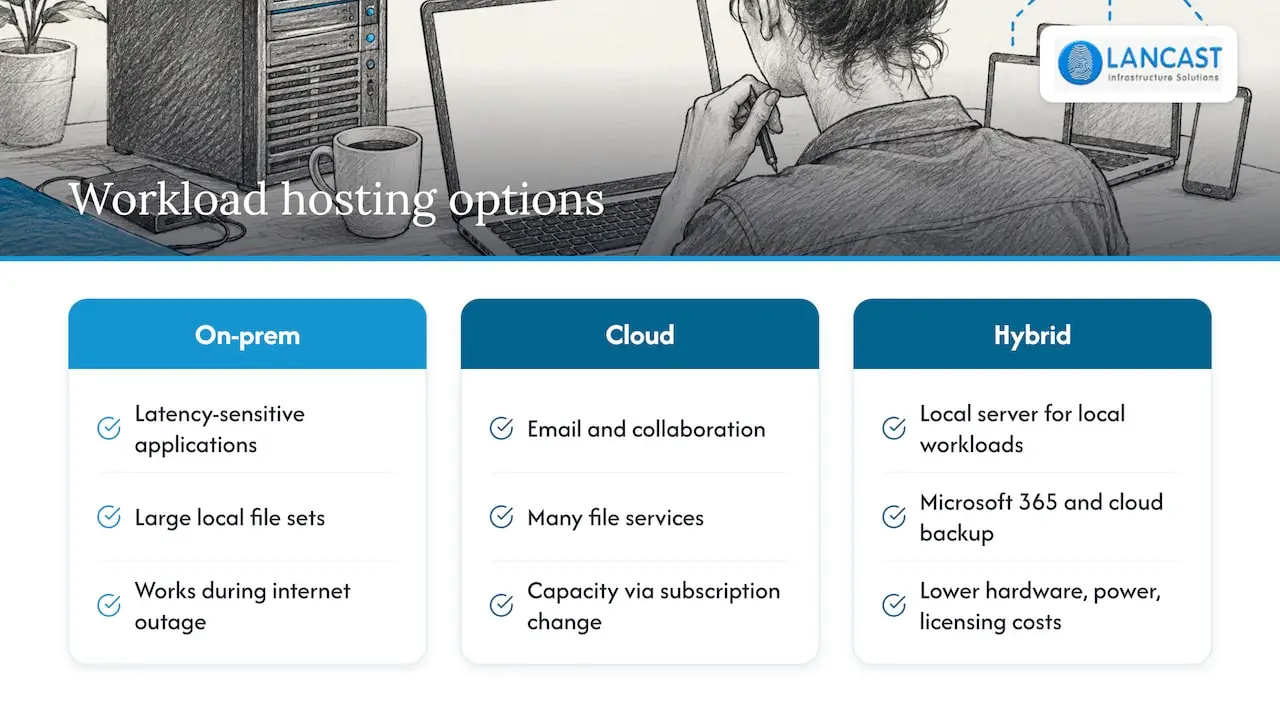
Sizing assumes you have already decided where the workload runs. Some things suit a physical server in your office: a line-of-business application that is latency-sensitive, large local file sets, or equipment that must work during an internet outage. Others, such as email, collaboration and many file services, suit Microsoft 365 and cloud services, where capacity is added as a subscription change rather than a hardware order.
Many Irish SMEs end up with a hybrid: a right-sized on-premises server for local workloads, with Microsoft 365 and cloud backup around it. That keeps the physical server smaller, which lowers the hardware, power and licensing cost. Our guide to on-premises versus cloud servers and our page on cloud services for small business go through the decision. As a Microsoft Cloud Service Provider, we can plan the Microsoft 365 side and the server side as one design.
Step 6: Count the whole cost, not just the box
The purchase price is one line. A sizing exercise should also include the following.
- Resilience: mirrored drives, a second power supply where the chassis offers one, and a UPS (an uninterruptible power supply that bridges short power cuts and allows a clean shutdown) so a brownout does not corrupt data.
- Software licences: the operating system, client access licences and application licences, which may be priced by core, socket or user.
- Backup and recovery: local and off-site capacity, and the network speed to restore in time.
- Support and monitoring: who watches the server and who attends when it fails, since embedded or automated management software relieves SMEs that cannot hire dedicated IT teams.
- Replacement cycle: a cost on the day the server reaches the end of its planned life, plus the migration effort.
Weigh these against the cost of an outage or later migration. A cheaper server that fails in the busiest week of the year is rarely the cheaper choice.
A short checklist before you order
Before a quote is accepted, confirm that you can answer each of these in a sentence: which applications and how many concurrent users at peak; the data size today and in four years; the recovery time and data-loss tolerance the business can accept; the licensing basis of each application; where backups go and how long a restore takes; and which resource will reach 80% first. If any answer is a guess, measure it first.
Our view on server sizing
Most sizing problems we meet begin before the hardware is chosen: the requirement was never written down, or it was based on headcount. We would rather spend an hour on workloads, peak periods and growth than debate processor models, because the answers to those questions decide everything else.
Our approach is to treat the server as part of a managed environment, not a one-off purchase. That means sizing with headroom, putting backup and recovery around it from day one, and monitoring it so that a disk heading for 80% is a scheduled job, not an emergency. With 30 years of experience, as an HP Amplify Partner and a Microsoft Cloud Service Provider, we can specify hardware and cloud services together and support them afterwards, remotely or onsite.
The best server for a growing business is the one that is right for the next few years and easy to extend, not the biggest one you can afford.
Carl
Get a sizing review from LANCAST
If you would rather not build the requirement alone, our IT consultancy team can work through your workloads, growth and recovery needs, and specify hardware or cloud services to match. We supply and install the hardware, and our Silver, Gold and Platinum managed support plans provide ongoing monitoring and remote and onsite support once the server is running. We are based in County Wicklow and work with organisations across Ireland.
For a wider look at what outsourced support covers, see our overview of managed IT services for small businesses.
FAQ
How much RAM does a small business server need?
It depends on the workloads, but memory is the resource most often underestimated. One published guide suggests 16 to 32 GB for a web or application server and 64 GB or more for a database server, with a virtualisation host needing guest RAM plus 4 to 8 GB for the host itself (ServerSide, 2026). Measure your peak usage and add headroom rather than choosing a round number.
How do I size a server for the number of users I have?
Start with concurrent users and peak load, not named users or headcount. Microsoft’s sizing guidance states that named users are not concurrent users. Record how many people are active in your busiest hour, what they run, and then apply a headroom multiplier of 1.5 to 2 times.
When should I upgrade or replace my server?
Plan the upgrade when monitoring projects that a resource will reach 80% within the next two to three months, allowing for a lead time of four to eight weeks on physical hardware (TCSA guidance). Disks beyond 90% utilisation are a risk in their own right, so do not wait for that point.
Is one server enough for a small business?
For many small offices, yes. A single-socket tower is regarded as good value for most small-business workloads, provided it has spare drive bays, mirrored storage, a UPS and a tested backup (IT Pro, 2024). As the database or other heavy workloads grow, the first split is usually to give the database its own machine.
Should I choose on-premises or cloud?
Choose by workload. Latency-sensitive applications and large local data sets often suit an on-premises server, while collaboration and many file services suit Microsoft 365 and cloud services. A hybrid design often keeps the server smaller. We can help you decide through our on-premises versus cloud servers guidance and a consultancy conversation.
Sources
- Hardware sizing requirements for on-premises environments, Microsoft Learn
- Small Business Server, HPE Ireland
- How to set up a server for small businesses, IT Pro
- How Much Server Do You Need? Sizing CPU, RAM and Storage, ServerSide
- Which Server Selection Mistakes Cost You Money, netcup
- How to Specify a Business Server: From Workload to Hardware, Netcomtech
- When an Office Server Starts Holding a Growing Irish Business Back, Cyberdata Tech
- ISO 27001 A.8.6: Capacity Management, TCSA
- Efficient Dedicated Server Storage Scaling, Melbicom
- Capacity Planning, KodeKloud
- Cloud infrastructure services, NULLBIT