

A staff member deletes a folder while tidying a SharePoint site. An employee overwrites a working document with a badly edited version. Then the finance mailbox shows signs of compromise, and the managing director asks a straightforward question: “Can we restore everything as it was yesterday?”
For many Irish SMEs, the answer isn't as clear as it should be. Microsoft 365 keeps email, files and collaboration tools available online, but availability isn't the same as an independently controlled backup. Retention settings, recycle bins and service recovery features can help, yet they don't automatically provide a tested recovery plan that remains usable after account compromise, ransomware or a tenant-wide mistake.
The practical question is therefore not only whether your organisation uses Microsoft 365 backup. It is whether you can recover the right item, from the right point in time, quickly enough to protect operations and meet your obligations under Irish data-protection rules.
Table of Contents
- Understanding Microsoft 365 Backup Native Limits
- Native Storage Versus Independent Copies
- Recovery Performance and Restore Timelines
- Why Granular Recovery Matters for Daily Errors
- Data Sovereignty and Irish Compliance Requirements
- Building a Tested Backup and Recovery Plan
Understanding Microsoft 365 Backup Native Limits
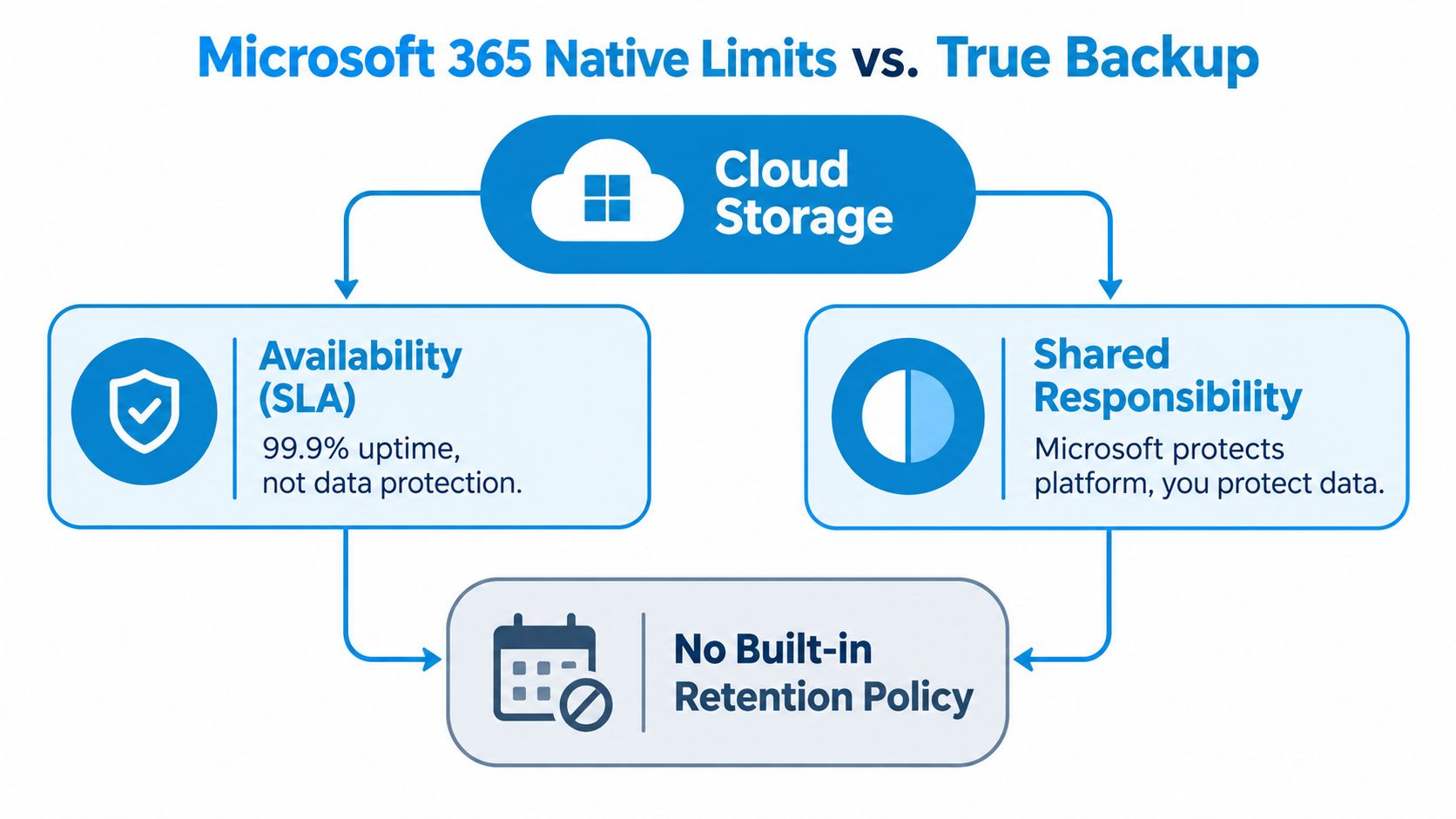
A Microsoft 365 tenant can remain online while its data becomes difficult to recover. Microsoft hosts Exchange Online, SharePoint and OneDrive, but service availability does not define the customer's backup design. The organisation must decide how data is retained, separated from production access and restored after deletion, compromise or a wider administrative error.
Independent Irish guidance describes deleted-item recovery windows of roughly 14 to 93 days, depending on the Microsoft 365 application. Those windows are not the same as a customer-controlled backup. The Irish guidance on Microsoft 365 cloud backup also places the 3-2-1 backup rule at the centre of resilience planning: three copies, on two storage types, with one copy kept offsite or isolated.
Retention is not the same as recovery
Retention policies define how long an organisation preserves records. Recovery defines whether an administrator can restore the exact data a user needs, from a usable point in time, without worsening the incident. Both controls may be required, but they address different operational problems.
Microsoft 365 Backup provides point-in-time recovery for Exchange mailboxes, SharePoint sites and OneDrive accounts. Microsoft's Ireland-facing documentation describes restore points every 10 minutes for Exchange for the previous year, and every 10 minutes for OneDrive and SharePoint for the previous 14 days, followed by weekly restore points up to 365 days. The recovery model and figures are documented on Microsoft's Ireland Microsoft 365 Backup page.
Deleted-item folders and native recycle bins do not cover every recovery requirement. A user who removes one email may need a precise item-level restore. Ransomware may require a clean point before the attack. A regulatory or legal request may require preservation beyond the normal operational recovery window.
Practical rule: Treat retention as a governance control and backup as a recovery control. Your design may need both.
For an Irish tenant, record which workloads are protected, how far back recovery is available, who can start a restore and where recovered data will be placed. During a migration or restructuring project, LANCAST's Microsoft migration and transformation team can help align those settings with the wider operating model.
What native protection doesn't solve
Native Microsoft 365 Backup can support the design, but configuration and testing remain the customer's responsibility. Administrators must understand recovery points, permissions and restore behaviour. A backup that has never been restored is an assumption, not evidence.
Independence also matters. If the only recoverable copy sits inside the same administrative boundary as the production tenant, a compromised administrator account or uncontrolled privilege may affect both live data and recovery operations. That risk should be assessed before an incident, not during the response window.
Native Storage Versus Independent Copies
Microsoft's native backup service and an independent backup platform address different risks. Native protection integrates closely with the tenant and gives administrators a familiar control surface. An independent service creates separation, which can limit the effect of a compromised tenant or a destructive change spreading through connected systems.
Irish organisations should choose between them by testing each design against the failure it must withstand, rather than comparing feature lists alone.
| Design choice | Where it helps | Where it falls short |
|---|---|---|
| Native Microsoft 365 Backup | Integrated point-in-time recovery for core workloads | Requires policy decisions, permissions and restore testing |
| Independent cloud backup | Separates recovery data from the production tenant and can support longer retention | Adds vendor assessment, configuration and ongoing administration |
| Self-managed repository | Gives the organisation direct control over storage and access | The organisation owns monitoring, capacity, security and restore operations |
| Immutable or isolated copy | Helps resist deletion and ransomware-related tampering | May introduce extra storage, access and recovery procedures |
The 3-2-1 model keeps attention on copies and administrative boundaries, not just on whether a backup job is enabled. At least one copy should be protected from the credentials, network paths and administrative errors that affect the live tenant.
Independence has a cost
An external copy still requires technical scrutiny. A provider may offer incomplete workload coverage, slow exports or limited metadata fidelity. Exchange, SharePoint and OneDrive may be well supported while Teams, Power Platform or specialist content is handled differently. Ask vendors to demonstrate recovery of the specific objects your organisation depends on, including permissions, versions, calendar items, file metadata and mailbox structures.
A self-managed solution provides more control but places more responsibility on the internal team. Storage needs monitoring, credentials need protection, software needs updates and recovery procedures must remain clear when the usual administrator is unavailable. LANCAST's infrastructure, data-protection and managed-services work can be considered alongside infrastructure, data protection and managed services when backup forms part of wider hosting, network and support responsibilities.
The right design may combine native Microsoft recovery with an independent, immutable copy. Document what each layer protects, what it cannot restore and who owns any remaining gap. That distinction matters during an Irish regulatory incident, because retention may preserve information without providing a usable recovery copy.
Recovery Performance and Restore Timelines
A recovery plan needs a clock. “We have backup” doesn't tell the service desk whether a user can resume work in minutes, whether a mailbox recovery will take hours or whether a tenant-wide event requires a staged response.
Microsoft 365 Backup has published processing and restore timings that are useful for planning. After a protection policy is activated, Microsoft's documented workflow can take up to 60 minutes to process the request and another 60 minutes to create restore points. Initial backups take about 15 minutes per 1,000 protection units, according to Irish Microsoft 365 Backup implementation guidance.
That means protection isn't necessarily available the moment an administrator clicks the activation control. Incident procedures must distinguish between a policy that existed before the incident and one created after data loss has already occurred.
Workloads restore at different speeds
SharePoint and OneDrive use fast restore points for rapid recovery. For 1,000 or more protection units, the published throughput is up to 250 protection units per hour for SharePoint and OneDrive when express restore points are used. Exchange Online is listed at approximately four hours for 1,000 or more units.
These are planning benchmarks, not guarantees for every tenant. The workload, object size, API conditions, throttling and destination all affect the result. A small file recovery and a large site recovery should never share the same recovery-time assumption.
Microsoft's published restore guidance gives more detail:
- SharePoint and OneDrive: Fast restore points typically complete in 2 to 20 minutes, although very large sites and multi-terabyte accounts may take an hour or more.
- Exchange Online: Mailbox restores run at roughly 200 to 500 items per minute per mailbox.
- Benchmark assumptions: Bulk recovery testing for 1,000 or more protection units used approximately 12 GB per SharePoint site, and approximately 26,000 Exchange items per mailbox with an aggregate size of 10 GB.
Those figures are documented in Irish technical coverage of Microsoft 365 Backup recovery performance. They show why item count and storage volume must be planned together. Two mailboxes may contain a similar amount of data but have very different item densities, and a SharePoint site with fewer large files may behave differently from one containing many small objects.
Build the incident plan around recovery classes
A useful runbook separates recovery into levels:
- Single-item recovery: One email, file, folder or calendar item is restored to its original or alternate location.
- User recovery: A mailbox, OneDrive account or user dataset is reconstructed after account damage.
- Site recovery: A SharePoint site or collaboration area is recovered following mass deletion or corruption.
- Tenant recovery: Multiple services are restored in a controlled sequence after a broad compromise.
For each level, record the approval path, administrator roles, expected user communication and acceptable downtime. LANCAST's data-recovery and recovery-planning services can sit alongside this work where Microsoft 365 recovery forms part of a wider business-continuity plan.
A practical test should measure more than whether the restore button works. Record how long the request takes, whether permissions return correctly, whether users can open restored files and whether the recovered mailbox or site is usable in normal workflows.
Why Granular Recovery Matters for Daily Errors
Ransomware attracts attention because it is dramatic. In daily operations, the more disruptive event is often smaller: a user deletes the wrong folder, a colleague replaces a clean spreadsheet with a damaged version or an insider removes evidence before leaving the organisation.

Full-tenant disaster recovery is the wrong response for many of these incidents. Restoring an entire environment to recover one message creates unnecessary disruption, risks overwriting valid work and consumes technical resources that should remain available for investigation.
Restore the smallest useful object
Granular recovery lets an administrator target the actual business loss:
- A specific message: Recover one deleted customer instruction without replacing the whole mailbox.
- A calendar entry: Restore a meeting or appointment that disappeared during an account clean-up.
- A file version: Return a contract or financial workbook to a known good point after mass editing.
- A folder or site component: Rebuild the affected area while leaving unrelated collaboration content in place.
This approach also supports mixed user capability levels. Staff shouldn't need to understand retention labels, recycle-bin stages or backup architecture before they can report a mistake. The service desk needs a clear intake process, and administrators need search and preview tools that make it possible to identify the correct recovery point before committing the restore.
A good operational workflow asks four questions:
- What changed? Establish whether the problem is deletion, overwriting, corruption or unauthorised access.
- Who needs the data? Confirm the owner and any access restrictions before restoring it.
- Where should it go? Restore in place only when that won't destroy useful current content. An alternate location may be safer for review.
- How will the result be checked? Ask the user to verify content, attachments, permissions and version history.
Granular recovery protects productivity because it limits the blast radius of the repair.
The same discipline matters during a security incident. Don't restore compromised content merely because it is available. Isolate the account, establish the clean point, preserve relevant evidence and coordinate with whoever manages security response. Backup is a recovery mechanism, not a substitute for identity protection, endpoint controls or incident investigation.
This practical perspective changes how an SME evaluates Microsoft 365 backup. A provider that can recover a whole site but cannot locate and restore a specific item may perform well in a disaster demonstration and poorly during the interruptions staff report.
The following video provides a visual introduction to Microsoft 365 backup and recovery considerations before you assess your own restore workflow.
Data Sovereignty and Irish Compliance Requirements
For Irish organisations, backup location belongs in governance planning, not only in technical design. Microsoft lists Microsoft Ireland at South County Business Park, One Microsoft Place, Carmanhall and Leopardstown, Dublin 18. Cloud-service documentation also identifies North Europe, Ireland as a selectable storage region for Microsoft 365 backup data.
An Irish or EU storage location can make procurement reviews, data-mapping exercises and internal assurance easier for public-sector, education, professional-services and privacy-sensitive organisations. It does not resolve every compliance question. Contractual terms, access controls, subprocessors and international transfer arrangements still require review.
The DPC deadline changes the recovery conversation
The Data Protection Commission expects personal-data breaches to be reported without undue delay and, where feasible, within 72 hours, according to the DPC's personal-data breach guidance. A recovery point does not decide whether notification is required. Reliable access to historical information can help the organisation establish what happened, identify affected records and contain disrupted services before the deadline.
Retention and recovery answer different questions. Retention determines how long information remains available. Recovery determines whether the organisation can obtain a usable copy after deletion, corruption, unauthorised changes or a tenant-level incident. A policy that keeps data for a long period is not enough if administrators cannot restore it quickly or verify its integrity.
During an incident, management may need documented answers to four questions:
- Which policy protected the data: Record the workload, scope and recovery window.
- Which point is clean: Establish the time before unauthorised changes or deletion.
- Who performed the restore: Keep the approval and administrative action record.
- What was validated: Confirm that restored files, messages and permissions work as expected.
Regional storage and compliance address different risks. Data held in Ireland may support residency expectations, while immutability and administrative separation reduce the chance that a compromised tenant administrator can remove the only usable copy.
Compliance insight: A backup policy is easier to defend when the organisation can explain where recovery data is held, who can access it and how restores are tested.
Ask suppliers for clear answers on region selection, encryption, administrator separation, retention settings, deletion protection and export capability. Store those answers with incident-response and records-management documentation, rather than leaving them in a sales email.
Building a Tested Backup and Recovery Plan
Start with an inventory, not a product trial. List the Exchange mailboxes, SharePoint sites and OneDrive accounts that support essential operations, then identify the data that needs longer retention or independent protection.
Use this sequence:
- Classify recovery needs: Separate single-item recovery, user recovery, site recovery and tenant recovery.
- Choose the protection layers: Decide what Microsoft 365 Backup covers and where an independent immutable or isolated copy is required.
- Assign responsibility: Name the people who configure policies, approve restores, validate results and review alerts.
- Test representative restores: Recover an email, a file version, a folder and a wider workload. Ask the business owner to verify each result.
- Record timings and gaps: Document actual restore duration, missing metadata, permission issues and any manual steps.
- Review after change: Revisit the plan after migrations, major permission changes, new sites or changes to regulatory requirements.
Don't let backup become a one-time configuration task. Schedule restore tests, keep recovery credentials separate from ordinary administration and ensure at least one trained person can follow the runbook without relying on the engineer who built it.
Small organisations can manage this internally when they have consistent ownership and time for monitoring and testing. Others may prefer a managed service that combines Microsoft 365 administration, backup oversight, security response and broader disaster-recovery planning.
LANCAST Infrastructure Solutions provides Microsoft 365 licensing, migration, management and backup alongside managed IT support, cybersecurity, and backup and disaster-recovery services for Irish organisations. Visit LANCAST Infrastructure Solutions to discuss your Microsoft 365 recovery requirements and arrange a practical review of your current protection and restore process.
Published via Outrank app