
Tenant to tenant migration moves identities, mailboxes, files and supported workloads from one Microsoft 365 tenant into another, and the safest route is to plan thoroughly, pre-create and map identities, pilot with a small group, then lean on native tools where they are supported and bring in a managed or third-party solution for Teams or complex SharePoint permissions. Before any of that work starts, confirm the Cross-tenant User Data Migration licensing is in place, because it governs whether mailbox moves can run at all.
TL;DR:
- Native mailbox and OneDrive migrations are reliable when licensing is confirmed and prerequisites are met; SharePoint permissions and sharing metadata require additional care.
- Teams migrations are prone to disruptions, especially with chat history and private channels, often necessitating specialized tools or managed support from the start.
- A thorough discovery, identity mapping, licensing validation, and domain sequencing process reduces migration risks and ensures smoother cutover, with pilot testing being crucial.
- Using third-party tools or managed services can mitigate performance, permission, and timeline risks, especially for permission-heavy SharePoint or Teams content, but cost comparisons are essential.
- Success depends on solid communication, staged sequencing, stakeholder updates, and contingency plans; skipping pilot testing or rushing discovery usually leads to more issues later.
Table of Contents
- Which workloads move easily, and which need extra work
- Choosing between native tools, third-party tools and a managed service
- Building the pre-migration checklist: identity, licensing and domains
- Running a pilot that actually proves the migration works
- Getting cutover day and the days after right
- What we see from running these migrations for clients
- What the industry gets wrong about tenant migrations
- How Lancast supports your migration from planning to hypercare
- Where to check the official guidance and commands
- Sources
- FAQ
Which workloads move easily, and which need extra work
Not every workload behaves the same way once you start moving data between tenants. Exchange Online mailboxes and their archives are the most mature part of the journey. Microsoft’s own tenant-to-tenant migration guidance confirms this path is well documented, with defined assessment, identity mapping and execution phases. OneDrive for Business and SharePoint content can move too, but permissions and sharing metadata demand careful handling rather than a simple lift.
Microsoft Teams is the outlier. Files and channels carry partial support, but chat history and private channel content remain the hardest elements to carry across cleanly.
- Exchange Online mailboxes and archives migrate through a documented, native process.
- OneDrive and SharePoint content moves, but sharing links and permissions need dedicated attention.
- Teams channel files transfer with partial support, while chat history and private channels are the most fragile.
- Power Platform apps and flows generally need manual recreation or selective export and import, since native migration paths are limited.
Teams is consistently flagged in Microsoft-focused practitioner discussions as the workload most likely to disrupt a migration timeline, mainly because chat and private channel data have no clean native path. Treat Teams and any permission-heavy SharePoint site as candidates for specialist tooling or managed support from the outset, rather than discovering the gap midway through cutover.
Choosing between native tools, third-party tools and a managed service
The right approach depends on what you are moving and how much risk you can absorb. Native cross-tenant migration suits straightforward mailbox and OneDrive moves, provided the licensing and prerequisites outlined in Microsoft’s mailbox migration Q&A are satisfied. Third-party tools earn their cost when you need to preserve complex SharePoint permissions, export Teams conversations, or push volumes that native throughput cannot handle comfortably. A managed service is the pragmatic choice when internal capacity is thin or the deadline is tight, since it shifts operational risk away from a team already stretched by day-to-day support.
- Native tools: best for mailbox and OneDrive migrations with licensing confirmed and prerequisites met.
- Third-party tools: worth the investment for permission-heavy SharePoint, Teams chat export, or large-scale performance needs.
- Managed service: reduces risk when timelines are aggressive or the team lacks spare migration expertise.
Before committing, weigh scale (how many mailboxes and how much SharePoint content), Teams dependency, compliance obligations, the skills already on your team, and how firm the deadline really is.
Pro Tip: Run a cost comparison between licensing a third-party tool and outsourcing the whole engagement before you commit either budget or internal hours.
Building the pre-migration checklist: identity, licensing and domains
The quality of your pre-migration work decides how smooth cutover feels. Start with discovery, move to identity mapping, then lock down licensing and domain sequencing before touching a single mailbox.
- Discovery: inventory users, groups, mailbox sizes, OneDrive and SharePoint usage, Power Platform objects, sensitivity labels and any encrypted content that will need relabelling.
- Identity mapping: pre-create accounts in the target tenant and align ExchangeGUID, ArchiveGUID, LegacyExchangeDN and UPN values, plus proxy addresses, exactly as Microsoft’s migration planning guidance recommends, and confirm guest or B2B accounts are accounted for.
- Licensing: verify the Cross-tenant User Data Migration add-on is assigned before starting mailbox moves. Microsoft’s own licensing Q&A shows administrators sometimes need to contact their Microsoft account team when the add-on does not appear in the portal, since its absence triggers a CrossTenantMigrationWithoutLicensePermanentException error.
- Domain and mail flow sequencing: plan the order for freeing custom domains, decide between a staged MX cutover or a protective queueing approach, and document who owns each step.
- Coexistence: decide whether an organisation relationship or Entra cross-tenant access policies will govern what stays live during the transition, and write down exactly what each group of users can still reach mid-migration.
A few items are easy to underestimate:
- Sensitivity labels and encrypted content often block migration until they are relabelled or decrypted.
- Guest accounts need mapping just as carefully as internal users, or shared content silently loses access.
- Mailbox size and folder count both affect batch timing, so discovery should capture both, not just headcount.
Running a pilot that actually proves the migration works
A pilot is not a formality, it is the only reliable way to catch environment-specific problems before they hit every user at once.
- Select pilot users who represent your real usage patterns: heavy mail users, active OneDrive sharers, SharePoint site owners and Teams-dependent staff.
- Run the initial sync, then check permissions, sharing links, mailbox message counts and folder structures against the source tenant.
- Execute Test-MigrationServerAvailability and the associated validation scripts described in Microsoft’s mailbox migration Q&A, and agree pass or fail criteria with stakeholders before you start, including a clear point at which you would roll back.
- Time the delta sync from pilot to set a realistic expectation for the full cutover window, rather than guessing at downtime.
Getting cutover day and the days after right
Cutover succeeds or fails on sequencing. Run the final delta sync, switch MX and DNS, confirm mail is routing correctly, reassign licences, and remove any temporary organisation relationships once they are no longer needed.
- Rebuild Outlook profiles, force a fresh OneDrive sync, reconnect mobile devices and refresh SSO tokens on the client side.
- Recheck mailbox and OneDrive item counts, spot-check SharePoint permissions, confirm Teams access and validate that shared links still resolve.
- Prioritise security-sensitive issues, such as broken guest access or exposed permissions, ahead of general productivity complaints.
Pro Tip: Keep a short, prioritised incident list open during the first 48 hours so support staff triage security risks before convenience issues.
What we see from running these migrations for clients
Discovery, pilot, execution, then a period of early-life support (often called hypercare) is the sequence that consistently reduces cutover risk in our experience. Skipping the pilot or compressing discovery to save a week almost always costs more time later, usually in the form of permission fixes or Teams complaints that could have surfaced earlier.
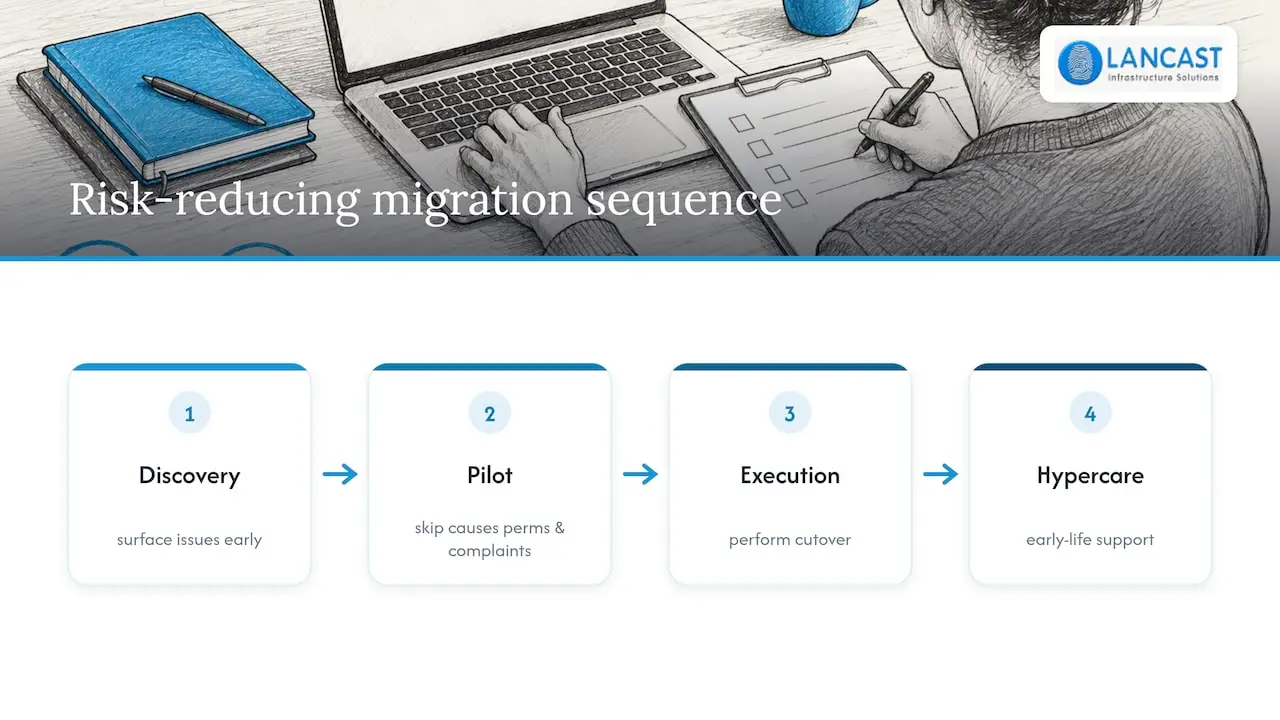
A few habits matter more than any single tool choice: a regular stakeholder update cadence, a clear channel for end users to report problems, scheduling cutover for genuinely low-usage windows, and a written contingency plan that names who decides to roll back and when.
What the industry gets wrong about tenant migrations
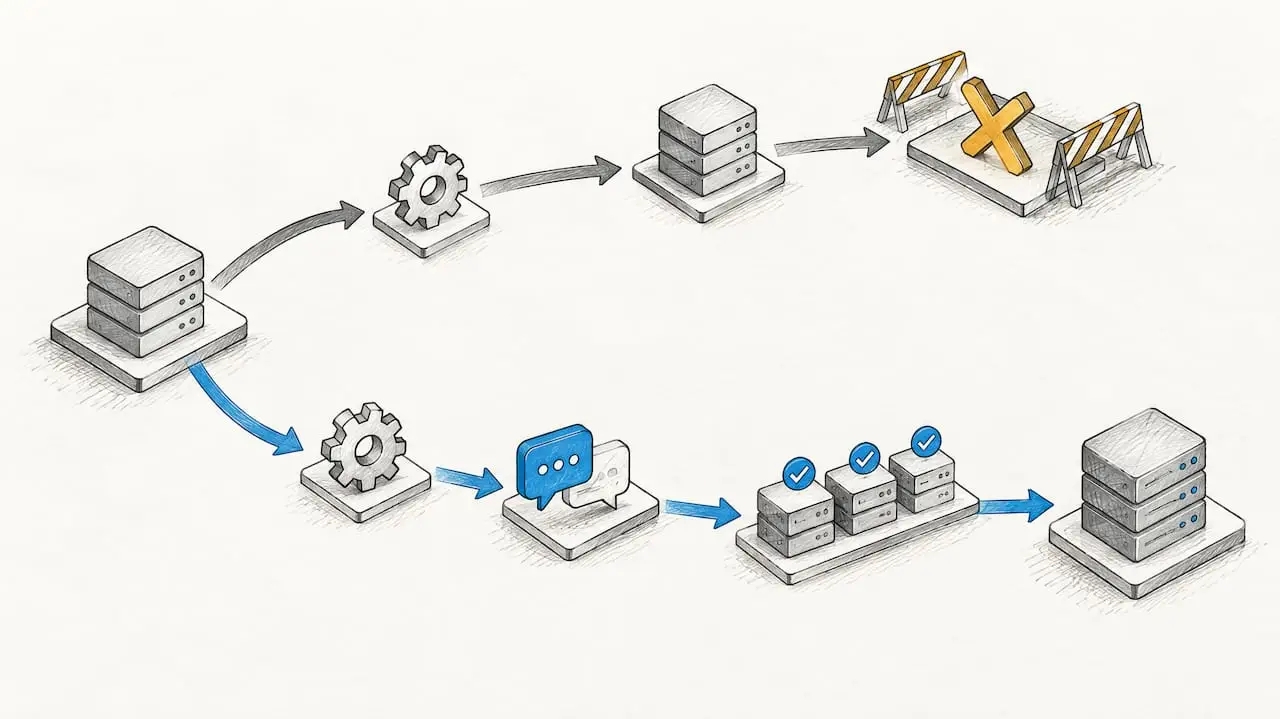
The conventional advice treats tenant-to-tenant migration as a technical exercise: get the licensing right, run the cmdlets, verify the counts. That is necessary, but it misses where projects actually go wrong, which is communication and sequencing, not tooling.
Most failed cutovers I have seen were not caused by a missing GUID mapping. They were caused by a pilot that was too small to be representative, or a Teams migration that was scoped as an afterthought rather than a separate workstream with its own budget and timeline. Identity mapping gets plenty of attention in official guidance, and rightly so, but user communication and change management rarely get the same rigour, despite doing just as much to determine whether the migration feels smooth or chaotic to the people living through it.
If you take one thing from this playbook, let it be this: treat your pilot as a real test of Teams and permission-heavy SharePoint sites, not just mailboxes, because that is where the native tools show their limits first.
— Carl
How Lancast supports your migration from planning to hypercare
If your team would rather hand the operational risk to someone else, Lancast runs tenant-to-tenant migrations as a managed engagement rather than a one-off project. As a Microsoft Cloud Service Provider, we build a master migration list, run discovery against your real environment, pilot with representative users, then execute cutover and stay on for early-life support once the migration is live.

What that typically looks like in practice:
- Discovery and identity mapping tailored to your tenant, mailbox sizes and SharePoint structure.
- A pilot phase with agreed pass or fail criteria before any full-scale cutover.
- Cutover execution followed by a period of hypercare to catch permission and access issues early.
You can review our managed services and support tiers to see how Silver, Gold and Platinum Support map onto a migration project, or get in touch through Lancast to scope a managed engagement for your tenant move.
Where to check the official guidance and commands
For the exact cmdlets, licence error messages and step sequencing, Microsoft’s own documentation is the primary reference throughout this process.
- Microsoft’s tenant-to-tenant migration planning guidance covers identity strategy, workload dependencies and licensing.
- The mailbox migration Q&A walks through migration endpoints, organisation relationships and validation cmdlets.
- The licensing confirmation thread explains the Cross-tenant User Data Migration add-on and common licence errors.
- Teams considered a managed approach can also review external examples such as NEXTmsp’s cloud migration services for how other providers structure similar engagements.
Sources
- Plan a Microsoft 365 tenant-to-tenant migration
- Email migration from One tenant to another of Microsoft – Microsoft Q&A
- How do I confirm I have the correct license for: “Cross Tenant User Data Migration”?
FAQ
How do I perform a tenant to tenant migration in Microsoft 365?
Start with discovery of users, mailboxes, OneDrive and SharePoint content, then pre-create and map identities in the target tenant before moving anything. Confirm licensing, run a pilot with representative users, and follow Microsoft’s tenant-to-tenant migration guidance for the mailbox and workload sequencing before a full cutover.
How much does the Cross-Tenant Migration licence cost?
Microsoft’s guidance does not publish a fixed price for the Cross-tenant User Data Migration add-on, and administrators who cannot see it in their portal are advised to contact their Microsoft account team, as described in the licensing Q&A. Confirm current pricing and eligibility directly with Microsoft rather than relying on a fixed figure.
How do I perform an Azure tenant to tenant migration step by step?
The process follows the same core stages as any Microsoft 365 tenant migration: discovery, identity mapping, licence verification, a pilot, then cutover and validation. Microsoft’s mailbox migration Q&A details the specific steps for creating migration endpoints, organisation relationships and running validation cmdlets such as Test-MigrationServerAvailability.
What should I check before migrating SharePoint and OneDrive permissions?
Inventory existing permissions and guest access first, then pre-provision guest users in the target tenant so sharing links do not break. Microsoft’s guidance on maintaining permissions during SharePoint migration recommends enabling permission migration options and running delta sync to catch changes made after the initial copy.
Does Lancast offer managed support for tenant to tenant migrations?
Managed service providers may offer migration planning and managed support services that cover discovery, pilot execution and post-migration hypercare. Details on current support tiers are available on our managed services page.