
RMM, or remote monitoring and management, is software that centralises continuous monitoring, automated remediation and remote administration of endpoints and infrastructure. Its core value lies in giving IT teams and managed service providers ongoing visibility across a whole estate, so problems surface before users notice them. RMM works alongside backups and dedicated security controls; it does not replace either.
TL;DR:
- RMM platforms should combine monitoring, alerts, patch management, remote access, automation, and reporting within one console to deliver effective oversight.
- Using agent-based RMM provides richer telemetry and more consistent remote access, but requires device installation and updates, whereas agentless models reduce overhead at the expense of detail.
- Privileged RMM access must be governed carefully with least privilege, multi-factor authentication, and time-limited sessions to mitigate security risks.
- RMM does not replace backups, endpoint security, or disaster recovery; these should be managed separately with clear ownership and regular testing.
- Effective RMM evaluation should focus on scope, SLA evidence, access controls, and integration capabilities rather than marketing claims or feature lists.
Table of Contents
- Core capabilities of RMM platforms
- How RMM works: agents, telemetry and automation flows
- Business benefits: what RMM delivers for MSPs and decision-makers
- Security risks and operational limits under NCSC guidance
- What RMM does not replace and what should run alongside it
- How to evaluate an RMM or outsourced RMM provider
- Practical use cases and scenarios where RMM adds value
- How a responsible MSP operates RMM in practice
- Where RMM is heading next
- A practical route to outsourced RMM
- Sources
- FAQ
Core capabilities of RMM platforms
Any platform calling itself an RMM should provide a defined set of functions rather than a loose bundle of tools. According to the NCSC’s guidance on choosing an MSP, remote monitoring and management combines monitoring, alerts, patch management, remote access, automation and reporting inside a single console. That combination is what separates genuine RMM from a collection of standalone utilities.
At a minimum, we expect an RMM platform to deliver:
- Continuous monitoring, alerting and device inventory, giving a live picture of every endpoint and its health.
- Patch and update orchestration, so operating systems and applications stay current without manual chasing.
- Remote access and scripting, allowing technicians to fix issues without travelling to site.
- Automation and scheduled maintenance, so routine tasks run on a timetable rather than waiting for a technician’s attention.
- Reporting, dashboards and asset telemetry, turning raw activity into evidence that work is actually happening.
Each capability matters less on its own than in combination. Monitoring without automation just generates noise, and automation without reporting leaves you unable to prove anything was done.
How RMM works: agents, telemetry and automation flows
RMM platforms rely on either an agent installed on each device or an agentless approach that queries systems through existing management protocols. Agent-based deployment tends to give richer telemetry and more consistent remote access, at the cost of needing an install and update cycle across every endpoint. Agentless models reduce that overhead but often trade away depth of detail.
Once telemetry is flowing, most platforms follow a recognisable sequence:
- Collection: agents or integrations gather metrics such as disk usage, patch status, service health and login activity.
- Detection: rule engines compare that telemetry against thresholds or known-bad conditions.
- Triage: alerts are prioritised and routed, often into a professional services automation (PSA) or ticketing system.
- Remediation: automated scripts resolve known issues, or a technician intervenes when the fix needs judgement.
- Verification and logging: the action and its outcome are recorded for reporting and audit.
Integration with PSA tools, ticketing platforms and identity systems is what turns this into a repeatable process rather than a series of one-off fixes. For MSPs running multiple clients, multi-tenant architecture and strict data separation between tenants become essential as the estate grows.
Business benefits: what RMM delivers for MSPs and decision-makers
The case for RMM rests on outcomes an operations team can actually measure, not on the elegance of the dashboard. Faster detection shortens the time between a fault appearing and someone acting on it, which is the whole point of proactive monitoring rather than waiting for a user to report a problem.
The benefits decision-makers care about tend to cluster around:
- Lower mean time to resolution, because issues are flagged and often fixed before anyone notices.
- Fewer preventable outages, driven by consistent, automated patching rather than ad hoc updates.
- Operational efficiency, since automation absorbs the repetitive maintenance that would otherwise consume technician hours.
- Consistent reporting, giving both internal governance and client-facing SLAs something concrete to point to.
None of this removes the need for good judgement. RMM makes routine maintenance predictable and gives teams the data to demonstrate it, but the value only materialises when someone is accountable for acting on what the platform surfaces.
Security risks and operational limits under NCSC guidance
RMM access is privileged administrative access, and it should be governed accordingly. The NCSC’s paper on using MSPs to administer cloud services warns that MSP privilege increases the attack surface unless organisations apply least privilege, multi-factor authentication, privileged access workstations and documented break-glass procedures for emergency access.

A common implementation mistake is granting permanent global admin access to an RMM tool rather than time-limited privileged sessions, an approach the NCSC has flagged directly as increasing risk unnecessarily.
Logging matters just as much as access control. The NCSC’s guidance on digital forensics and protective monitoring sets out that logs should be machine-readable, protected in transit and detailed enough to support an investigation, not just an operational dashboard.
Pro Tip: Ask any RMM provider to show you a real alert-to-resolution timeline, not a feature list. Evidence of action matters more than the number of alerts generated.
What RMM does not replace and what should run alongside it
RMM is an administration and monitoring layer, not a full security or resilience programme. It can orchestrate backups, evidence patching and flag anomalies, but it does not perform the underlying job of disaster recovery, endpoint detection and response, or identity security.
Organisations still need:
- Backups and disaster recovery owned and tested separately from RMM, including regular restore drills.
- Endpoint detection and response (EDR) to catch threats that monitoring thresholds alone will miss.
- Identity security controls, since privileged RMM access is itself a target worth protecting.
- Documented recovery ownership, so it is clear who is accountable when something needs restoring rather than just alerting.
Treating RMM as the whole security stack is one of the more common and costly misunderstandings we see among businesses evaluating providers.
How to evaluate an RMM or outsourced RMM provider
Choosing between platforms, or between MSPs offering RMM as part of a managed contract, comes down to evidence rather than marketing claims. A short procurement checklist keeps the conversation grounded:
- Confirm scope: which endpoints, servers, cloud workloads and network devices are actually covered.
- Request SLA evidence: patch compliance rates, backup success rates and alert response times, not just target figures.
- Ask for sample reports and incident timelines that show the provider acting on alerts, not just recording them.
- Verify access controls: privileged access workstations, least privilege, MFA and audit logging on every administrative session.
- Check integrations: PSA and ticketing connections, EDR compatibility, and evidence of regular backup and restore testing.
Pro Tip: Certifications such as Cyber Essentials Plus or ISO 27001 are useful trust signals, but contract clarity on notification times and responsibilities matters just as much, as the NCSC notes when choosing an MSP.
Practical use cases and scenarios where RMM adds value
RMM earns its place in an IT budget when it is applied to real operational pressure points rather than deployed for its own sake.
- Hybrid workforces benefit from remote patching and support across devices that rarely see an office.
- Multi-site businesses get centralised inventory and configuration monitoring without a technician visiting every location.
- Small IT teams use automation to cover routine maintenance that would otherwise eat their week.
- Incident triage improves when a compromised device can be isolated remotely within minutes rather than hours.
- Cloud-first environments still benefit from RMM for endpoint management, though the NCSC’s guidance on interactive administration in the cloud recommends using administration proxy services rather than exposing legacy protocols such as RDP or SSH directly.
How a responsible MSP operates RMM in practice
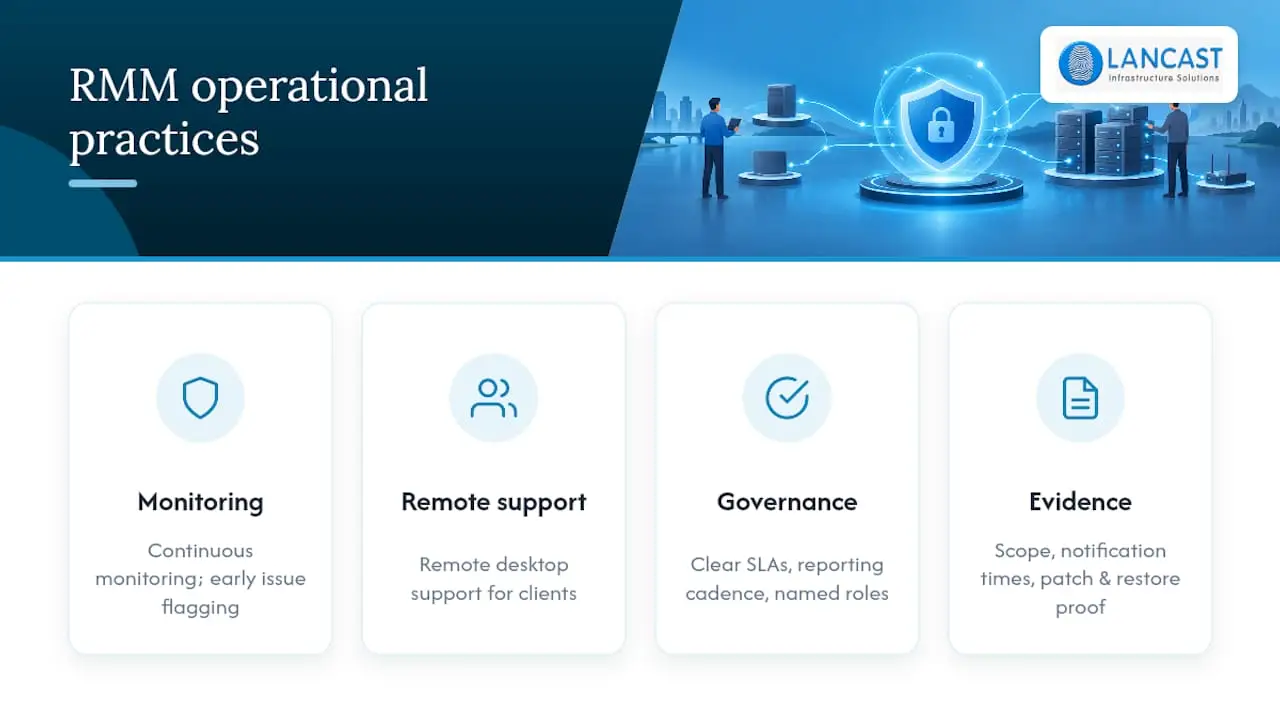
We run proactive managed services built around continuous monitoring and remote desktop support for contract clients, so issues are flagged and often resolved before they affect a working day. Clients should expect clear SLAs, a defined reporting cadence and an escalation procedure that names who does what and by when. Any contract worth signing sets out monitoring scope, notification times, and evidence that patching and restore testing actually happened, not just that they were scheduled.
Where RMM is heading next
RMM is moving from a maintenance tool into an operational security enabler, and that shift changes what good practice looks like. Automation genuinely improves efficiency, but only when a human still owns the decisions behind it. The next phase belongs to platforms that integrate cleanly with EDR, cloud administration proxies and AI-assisted triage, rather than those that simply generate more alerts.
— Carl
A practical route to outsourced RMM
Building RMM capability in-house means buying tooling, training staff and maintaining coverage around the clock, which is a heavier lift than most small and mid-sized organisations want to take on. 
We offer that outcome directly through our managed service plans, which combine monitoring, remote support, backup and security services under one contract.
- Proactive managed services and continuous monitoring across your estate.
- Remote desktop support built into contract client agreements.
- Backup, recovery and complementary security services alongside day-to-day monitoring.
You can review our Silver, Gold and Platinum Support plans and get in touch to discuss what your environment needs.
FAQ
What does an RMM do?
An RMM platform monitors endpoints and infrastructure continuously, raises alerts on faults or risky conditions, and lets technicians patch, script and remediate issues remotely. It combines monitoring, patching, remote access, automation and reporting in one console, as described in NCSC guidance on choosing an MSP.
Is TeamViewer an RMM?
Remote access tools like this handle screen sharing and control, but they lack the monitoring, patch orchestration and automation that define a full RMM platform. An RMM typically incorporates remote access as one feature among several, rather than being built around it alone.
What is an RMM in cybersecurity?
In a security context, RMM is privileged remote administration and should be treated as such: least privilege, multi-factor authentication and audit logging are essential, not optional extras, as the NCSC’s cloud administration guidance sets out. It monitors and can support incident response, but it does not itself replace EDR or identity security controls.
What are the top five RMM tools?
Definitions and rankings vary depending on the source and the criteria used, and no single authoritative list exists. A more useful approach is evaluating any candidate against the checklist covered above: scope, SLA evidence, access controls and integration quality.
How is RMM different from traditional IT support?
Traditional IT support tends to be reactive, responding once a fault is reported. RMM shifts that model towards continuous monitoring and automated maintenance, so many issues are caught and fixed before they become visible to users.