
A server maintenance checklist organises recurring tasks by frequency so nothing critical slips through unnoticed. We recommend daily, weekly, monthly and quarterly cycles, with backup verification, patching and alert monitoring as the three actions to tackle first.
TL;DR:
- Verify backups daily, resolve failures the same day, and include system state, configuration files, and application data so restores rebuild a working server.
- Use weekly file level restore tests for routine systems, but rehearse a full restore monthly for at least one critical system and measure recovery time.
- Stage routine updates before production, keep a rollback plan, and deploy critical vulnerability fixes outside the normal cycle with advance notice and documented exceptions.
- Use a staged 90 day rollout: establish backup checks and patch cadence first, add monitoring next, then introduce capacity planning and disaster recovery drills.
Table of Contents
- Daily checks
- Weekly checks
- Monthly checks
- Quarterly and annual maintenance
- Security and patch management
- Backups, restore testing and disaster recovery
- Monitoring, logging and performance checks
- Administrative housekeeping: users, certificates and configuration
- Printable quick checklist template
- How to operationalise this checklist: our recommended approach
- Author perspective: prioritisation for small IT teams
- LANCAST managed services mapped to this checklist
- FAQ
- Sources
Daily checks
Daily checks catch the issues that turn into outages if left for even a day, as outlined in this website maintenance checklist. Vendor guidance organises these tasks by frequency, and backup verification sits at the top of every list worth following.
- Confirm last night’s backup jobs completed and check for alert failures (5 minutes per server).
- Scan critical system and application logs for errors, warnings or unusual spikes (10 minutes).
- Check disk space, temperature readings and any RAID degradation alerts (5 minutes).
- Verify database and replication jobs finished within their expected windows (5 minutes).
- Confirm anti-malware signatures and definitions updated successfully (5 minutes).
Most administrators budget 10 to 20 minutes per server for this routine, assigned to whoever holds first-line responsibility that day.
Weekly checks
Weekly checks prevent small issues from compounding into something harder to unpick. They also give you a natural point to validate that your backup strategy still works in practice, not just on paper.
- Apply non-critical updates in a staging environment before they reach production.
- Review disk usage trends and perform log rotation or cleanup where storage is tightening.
- Run a quick restore test from the most recent backup to confirm file-level recoverability.
- Check scheduled job history for repeated failures and review upcoming certificate expiry dates.
- Set aside roughly 45 to 90 minutes for this cycle, depending on server count and complexity.
Weekly quick restores suit less-critical systems well, while anything business-critical deserves a fuller test on a monthly basis.
Monthly checks
Monthly maintenance is where deeper patching, capacity planning and documentation catch up with reality.
- Run a full patch cycle in a controlled maintenance window and log every change made.
- Review storage and compute capacity against growth trends, flagging anything nearing 80% utilisation.
- Perform a full restore rehearsal for at least one critical system, measuring recovery time against your target.
- Update runbooks and asset inventory, and check for outstanding firmware updates on physical hosts.
This is also the point to reconcile what’s documented against what’s actually running, since drift between the two is where outages tend to start.
Quarterly and annual maintenance
Lower-frequency tasks cover lifecycle planning and compliance, areas that are easy to defer and expensive to ignore.
- Map out operating system upgrade paths and replace anything approaching end-of-life well before the deadline arrives.
- Schedule vulnerability scans and a security posture review, aligning the approach with CIS or NIST benchmarks.
- Run a full disaster recovery failover drill and verify your recovery time and recovery point objectives still hold.
- Review software licences, vendor SLAs and hardware refresh plans while there’s still runway to act on findings.
Treat these as calendar fixtures rather than optional extras. A quarter slips by quickly, and so does the warranty window on ageing hardware.
Security and patch management
A sound patching approach starts with categorisation: critical security patches, routine updates and optional feature releases each warrant a different cadence. Microsoft’s update guidance sets out the distinctions between update types and how to handle testing and deployment for each.
Stage updates in a test environment first, keep a rollback plan ready, and reserve your production maintenance window for changes that have already proven stable. Critical vulnerabilities need an emergency path: patch outside the normal cycle, notify affected stakeholders beforehand, and document the deviation afterwards.
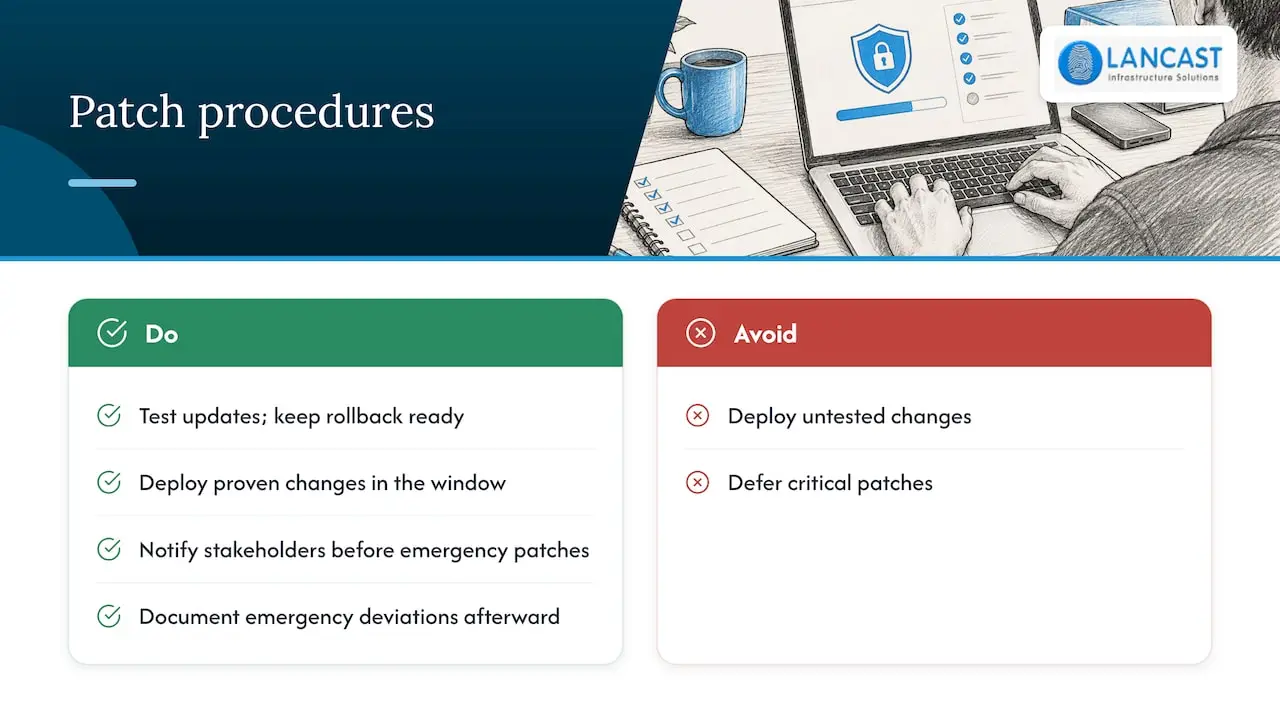
Pro Tip: Keep a standing emergency patch procedure written down before you need it, not while an incident is unfolding.
Basic cyber hygiene, including timely patching, blocks the vast majority of common attacks, which makes patch discipline one of the highest-return items on this entire checklist. For teams that want this handled on a fixed cycle rather than reviewed ad hoc, our 90 Day Server Patch Management plan runs to NIST and CIS-aligned cadences.

Backups, restore testing and disaster recovery
A backup scope that only covers application data leaves you exposed. Include system state, configuration files and application data together, so a restore rebuilds a working server rather than a partial one.
- Monitor backup job completion daily and resolve failures the same day they appear.
- Run quick, file-level restore tests weekly to confirm backups are readable and intact.
- Perform a full restore rehearsal monthly for at least one critical system, timing it against your recovery objectives.
- Store at least one backup copy offsite or in immutable storage, and set a retention policy that matches how far back you might need to recover.
Restore testing frequency should scale with how critical the system is: business-critical systems need monthly full restores, while weekly quick checks cover the rest. A backup nobody has restored from is an assumption, not a safeguard. Our backup and disaster recovery plans build this testing cadence in rather than leaving it to chance.
Monitoring, logging and performance checks
The right metrics, watched consistently, turn firefighting into forward planning.
- Track CPU, memory, disk I/O, network throughput and temperature as your baseline metrics.
- Prioritise authentication failures, application errors and service crashes over routine informational log entries.
- Tune alert thresholds to your actual environment rather than relying on defaults, since untuned alerts generate noise that masks real incidents.
- Route alerts to the right person or team automatically, so nothing sits unread in a shared inbox.
Default thresholds are rarely right for every environment, and alert tuning matters as much as collecting more metrics in the first place. Trend analysis over weeks, rather than reacting to single spikes, is what actually prevents the next outage.
Administrative housekeeping: users, certificates and configuration
Identity and configuration drift cause more outages than most teams expect, and they’re entirely preventable with routine upkeep.
- Review Active Directory accounts regularly and remove stale or unused entries.
- Track certificate expiry dates and rotate them on a schedule, not in a panic the week they lapse.
- Maintain a configuration baseline and document any approved deviation from it.
- Keep an accurate inventory of firmware versions, operating system builds and installed packages across your estate.
A staged approach, such as a two to four week scream test before removing stale Active Directory accounts, reduces the risk of cutting off something still in use.
Printable quick checklist template
Keep this version pinned to your runbook or ticketing system for fast reference.
- Daily: backups, logs, disk health, anti-malware signatures (10 to 20 minutes, first-line admin).
- Weekly: staged updates, disk trends, quick restore test, certificate check (45 to 90 minutes, systems admin).
- Monthly: full patch cycle, capacity review, full restore rehearsal, firmware check (half a day, senior admin).
- Quarterly: OS lifecycle review, vulnerability scan, DR failover drill, licence audit (full day, IT manager).
Attach owner names and dates to each line once it’s in your own ticketing tool.
How to operationalise this checklist: our recommended approach
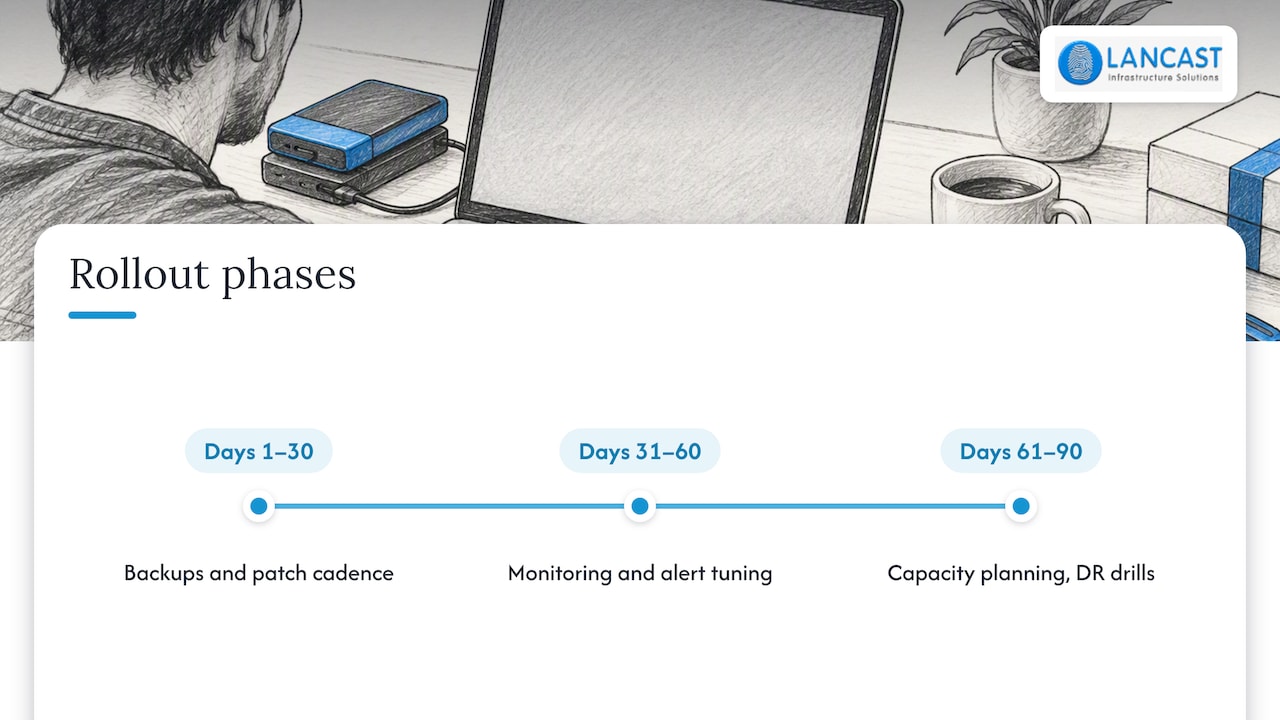
A 30/60/90 day rollout works well for teams short on capacity: days 1 to 30 establish backup verification and patch cadence, days 31 to 60 add monitoring and alert tuning, days 61 to 90 bring in capacity planning and DR drills. It’s the same staged logic behind our 30/60/90 printer security hardening plan, applied to server estates instead.
Different parts of this checklist map to different services: patch cadence to our patch management plan, restore testing to our backup and DR offering, and capacity thresholds to storage upgrade services.
Author perspective: prioritisation for small IT teams
If you’re running a small team, sequence matters more than coverage. Get backups verified and tested first, monitoring and alerting second, patch cadence third. Everything else on this checklist earns its place once those three are solid, not before.
— Carl
LANCAST managed services mapped to this checklist
We build these cadences into our managed services, covering patching, backup verification and monitoring without you having to track every item yourself.

If you’d rather have this handled than maintained, consider contacting managed service providers to scope what your estate needs.
FAQ
What is a preventative maintenance checklist?
A preventative maintenance checklist is a scheduled list of inspection and upkeep tasks, organised by frequency, designed to catch problems before they cause downtime. For servers, that means daily backup and log checks through to quarterly disaster recovery drills.
What are three types of servers?
Common server types include file servers, application servers and database servers, each supporting different workloads within an organisation’s infrastructure. Many environments also run web servers and mail servers, which follow the same maintenance principles as the others.
What does server maintenance do?
Server maintenance keeps hardware, software and data reliable by catching failures early through monitoring, patching known vulnerabilities and confirming backups actually restore correctly. Consistent patching and basic cyber hygiene prevent the vast majority of common attacks, which is a large part of what routine maintenance protects against.
What is the PMS checklist?
A PMS, or preventative maintenance schedule, checklist lists the specific tasks due at each interval, daily through to annual, along with who owns them and how long each should take. It functions as the practical reference an admin follows rather than a one-off audit document.
Sources
- Checklist: Performing Weekly Maintenance Checks
- Windows Update FAQ
- Basic cyber hygiene prevents 98% of attacks (Microsoft Security Blog)